
Erupt Magic API Online IDE
INFO
magic-api is a Java-based rapid interface development framework. Interfaces are written through the UI provided by magic-api, and are automatically mapped to HTTP endpoints — no Controller, Service, Dao, Mapper, XML, or VO Java objects need to be defined to complete common HTTP API development.
Online IDE: Provides a web page for writing scripts online, debugging online, and hot-reloading changes without a restart — automatic hot update!
Rich Features: Hot update, code generation, pagination, Redis, MongoDB, and various function libraries
Official website: https://ssssssss.org
Usage
1. Add the dependency
<dependency>
  <groupId>xyz.erupt</groupId>
  <artifactId>erupt-magic-api</artifactId>
  <version>${erupt.version}</version>
</dependency>
2. Add the following configuration to application.yml / application.properties
magic-api:
  web: /magic/web
  resource:
    type: database
3. Start the project — an "Interface Configuration" menu entry is added to the left sidebar
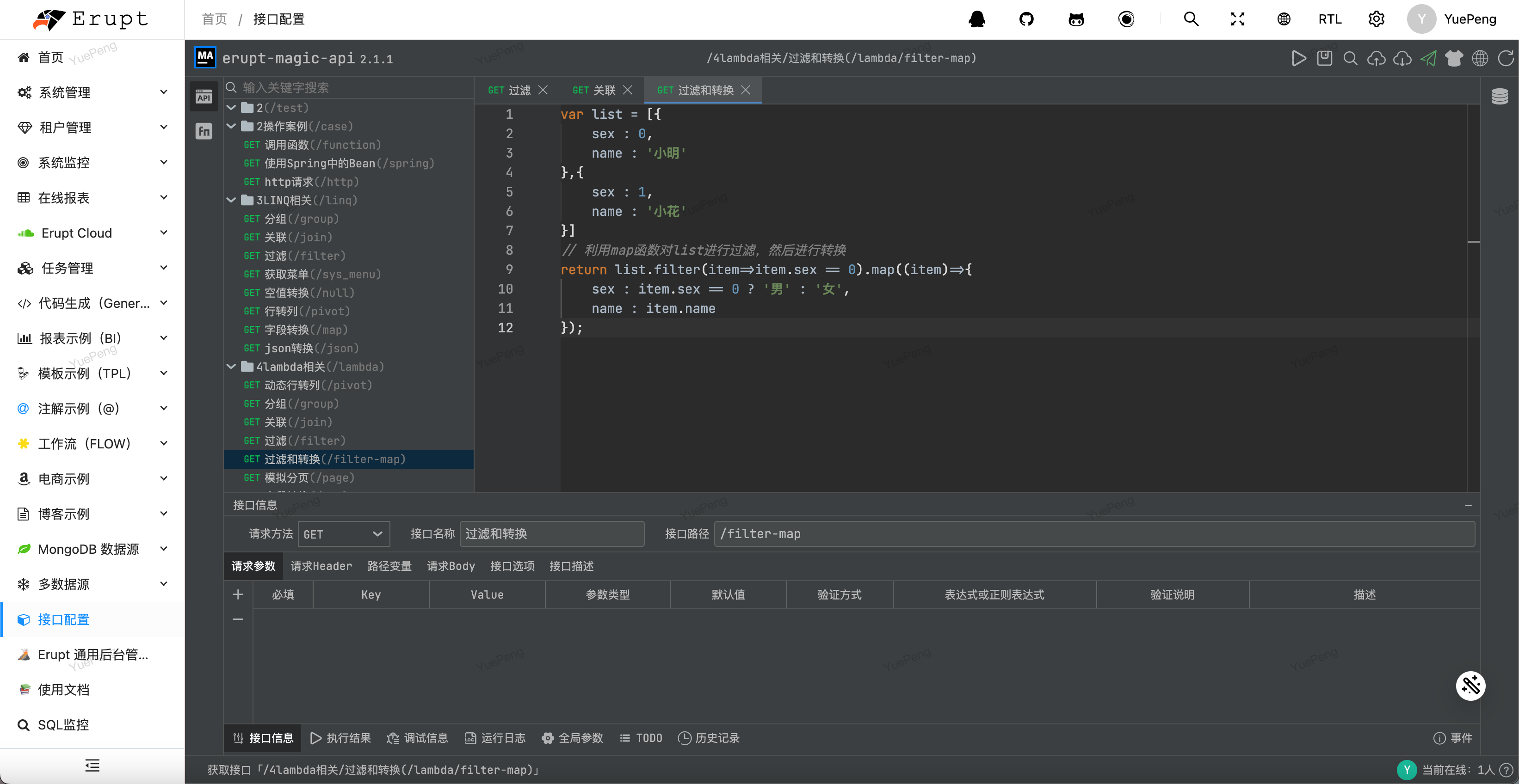
4. For more usage details, see: https://ssssssss.org
Magic-API Editor Configuration
Add the following code in app.js to customize editor settings such as the title:
if (window.MAGIC_EDITOR_CONFIG) {
    Object.assign(window.MAGIC_EDITOR_CONFIG, {
        title: "Edge IDE", // Change the title
    })
}
For more configuration options, see: Editor Configuration | magic-api
Magic-API Frontend IDE Permission Control
Interface Permission Verification
Using erupt-magic-api, you can integrate Erupt's permission verification to ensure secure interface calls.
Usage: Select an interface → click Interface Options → click the Add button on the right. The following configuration appears; multiple permission checks can be stacked.
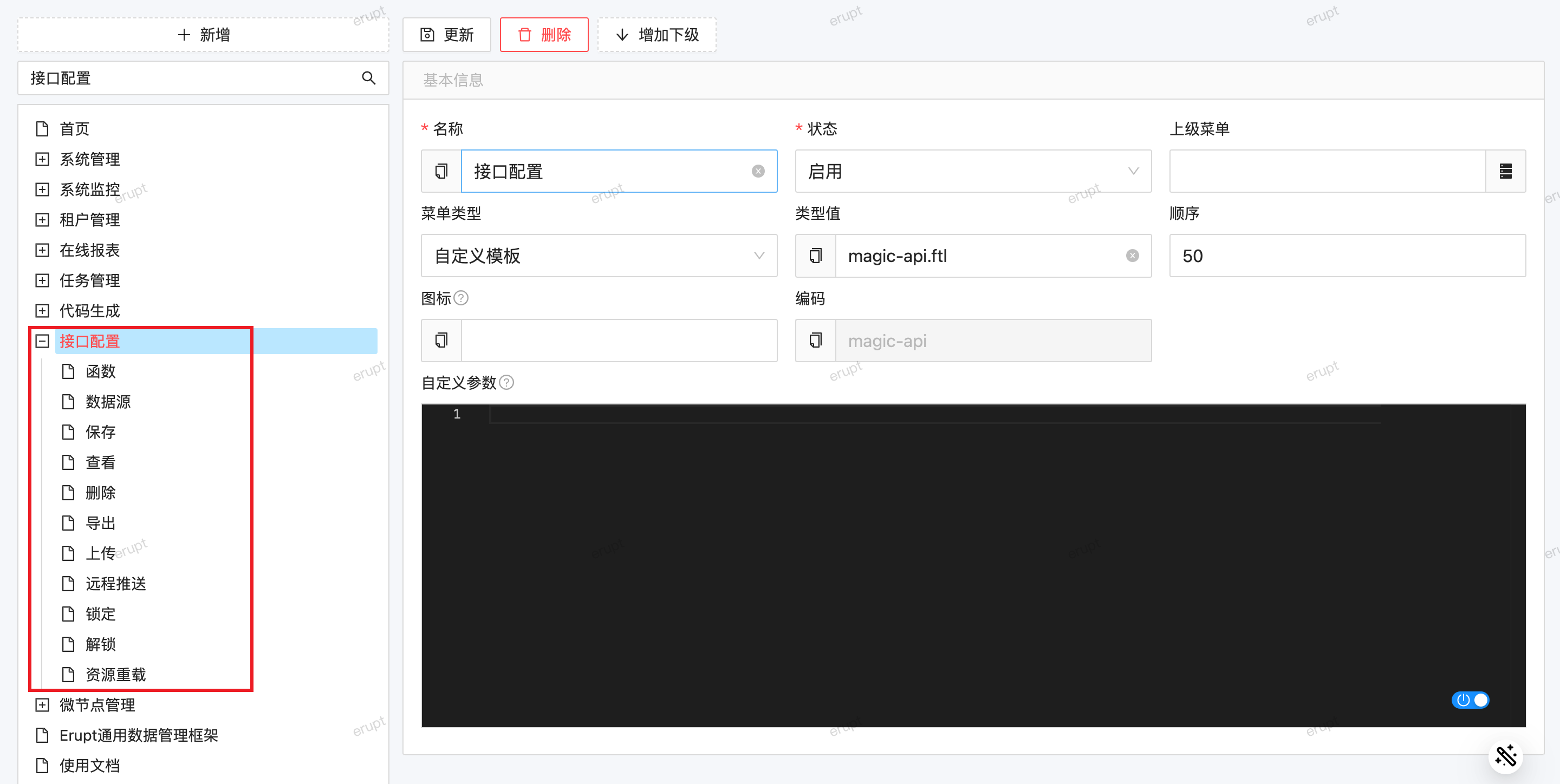
| Permission Type | Description |
|---|---|
permission | Allows access for users with the specified menu permission (corresponds to the menu type value) |
role | Allows access for users with the specified role (corresponds to role code) |
require_login | This interface requires login to access |
WARNING
Requests from the frontend must carry a token. See API Requests
Authentication Integration
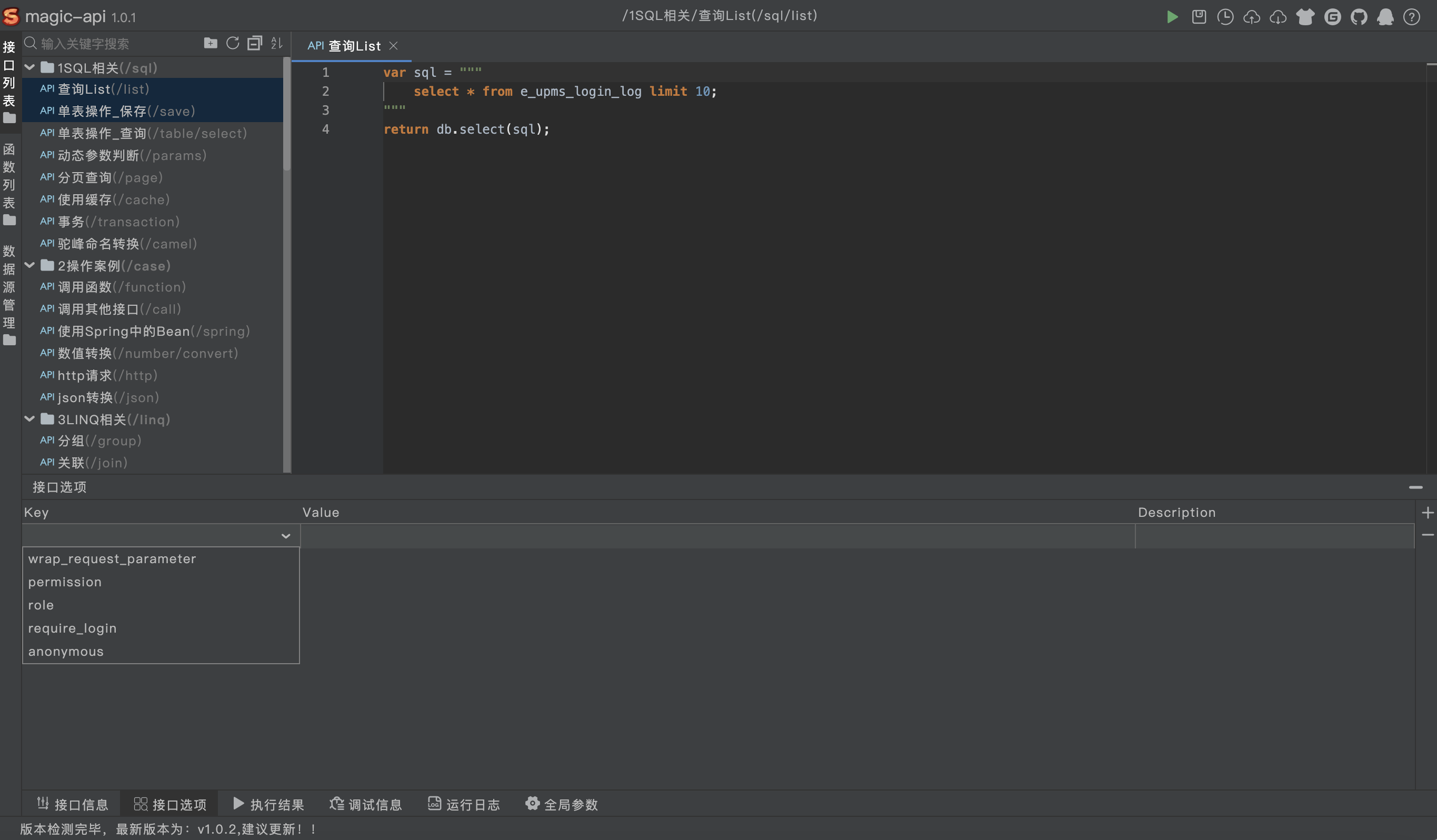
Seamlessly integrates with the Erupt login authentication system; interfaces automatically inherit the current logged-in user's context.
Notes
WARNING
When deploying with HTTPS in a production environment, you need to adjust the Nginx configuration to ensure WebSocket connections work properly; otherwise, the online IDE will not function.
location /magic-api {
    proxy_pass http://localhost:8080;
    proxy_http_version 1.1;
    proxy_set_header Upgrade $http_upgrade;
    proxy_set_header Connection "upgrade";
}
Contributors
 YuePeng