
Erupt AI Deep LLM Integration
Deep integration with today's popular large language models for low-code AI application development.

Fully Embracing Harness Engineering
| Capability | Description |
|---|---|
| LLM | Supports: ChatGPT, Claude, Gemini, Ollama, Qwen, Doubao, GLM, DeepSeek, Moonshot, MinMax, Mistral, Grok, Fireworks, Together, OpenRouter, and more |
| Chat | Session management (AiChat), message history (AiChatMessage), SSE streaming output, configurable context rounds (maxContext) |
| Agent | Customizable visual control of prompts; dynamically controllable agent prompt words |
| Tools | Register tools via @AiToolbox + @Tool and call them during conversations; EruptAiToolbox provides base model list, Schema, current user, HQL query, module list, and more |
| MCP | Supports mounting external MCP Servers for flexible tool capability extension |
| MCP Server | Built-in MCP Server with Bearer authentication; supports direct connection from Cursor / Claude and other clients |
| Security | Built-in strict interface permission control; AI chat capabilities can be dynamically granted through user permissions |
Quick Start
- Add the dependency:
<dependency>
    <groupId>xyz.erupt</groupId>
    <artifactId>erupt-ai</artifactId>
    <version>${erupt.version}</version>
</dependency>- Configuration options:
erupt:
  ai:
    # Define the global system prompt
    system-prompt: |
      You are Erupt AI, skilled at conversations in both Chinese and English. You provide safe, helpful, and accurate answers.
      You will refuse to answer any questions involving terrorism, racial discrimination, pornography, violence, etc.
      Erupt AI is a proper noun and should not be translated into other languages.
    # SSE timeout in milliseconds
    sse-timeout: 300000
    # Typing configuration
    message-chunk-size: 20
message-delay: 30- After startup, the following menus are added:
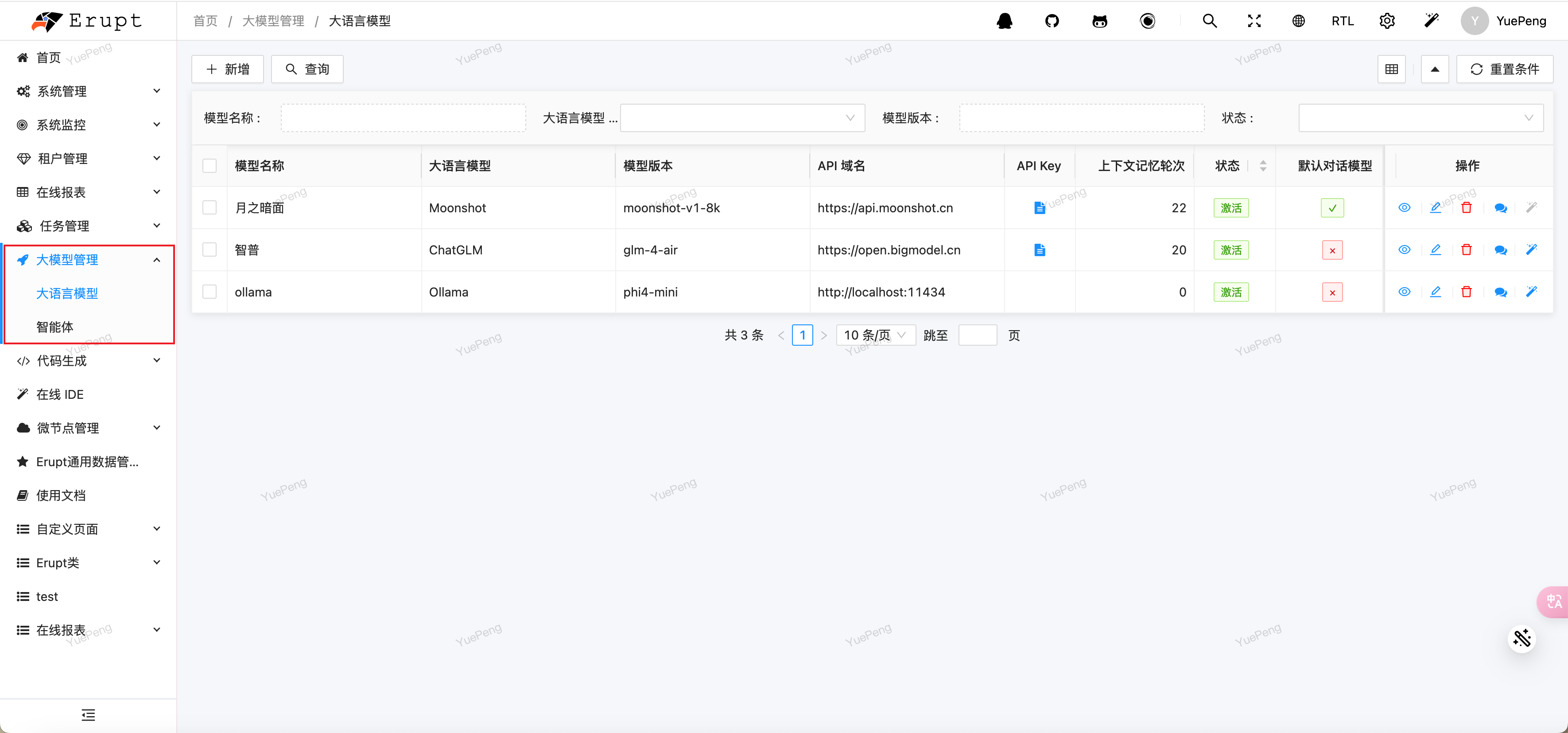
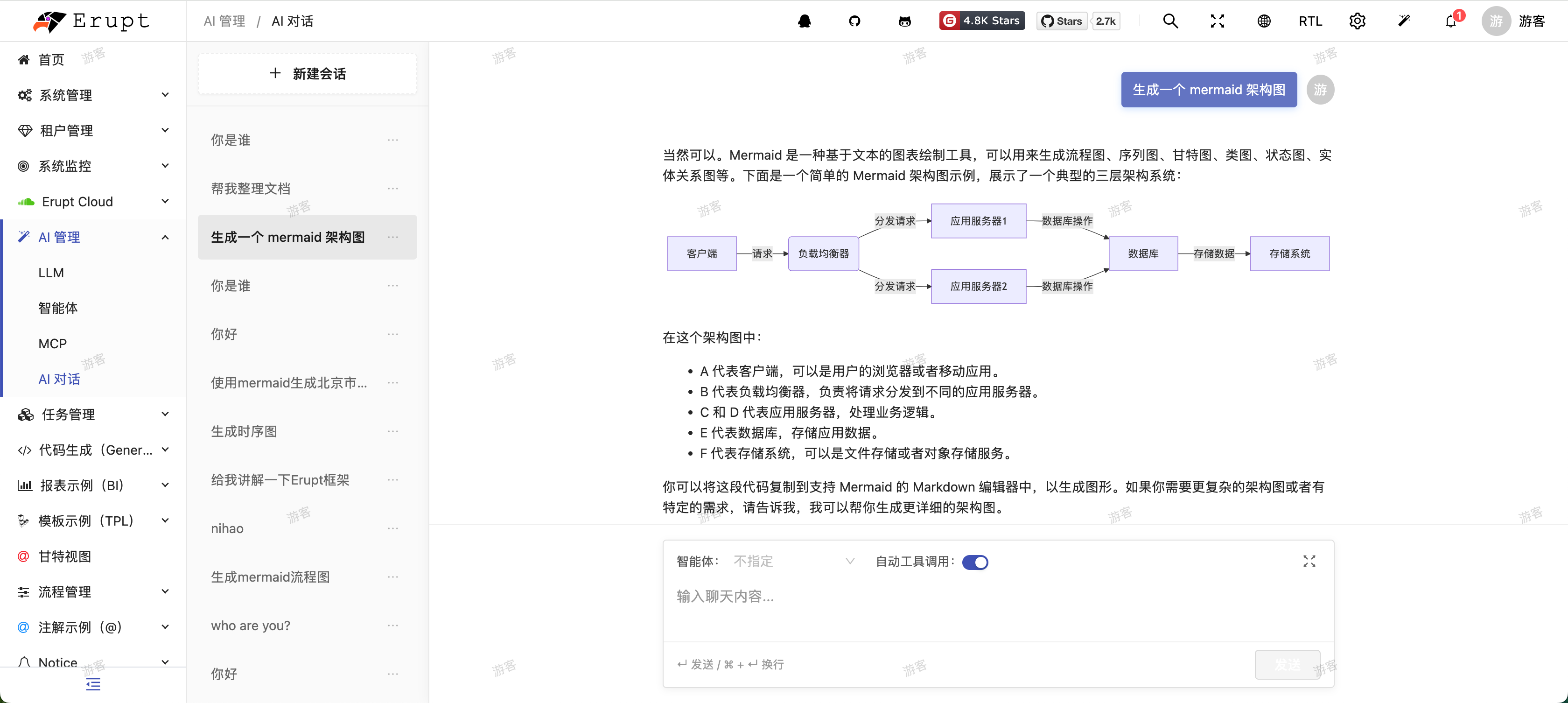
- Interactive conversation:
Driving Any LLM Engine
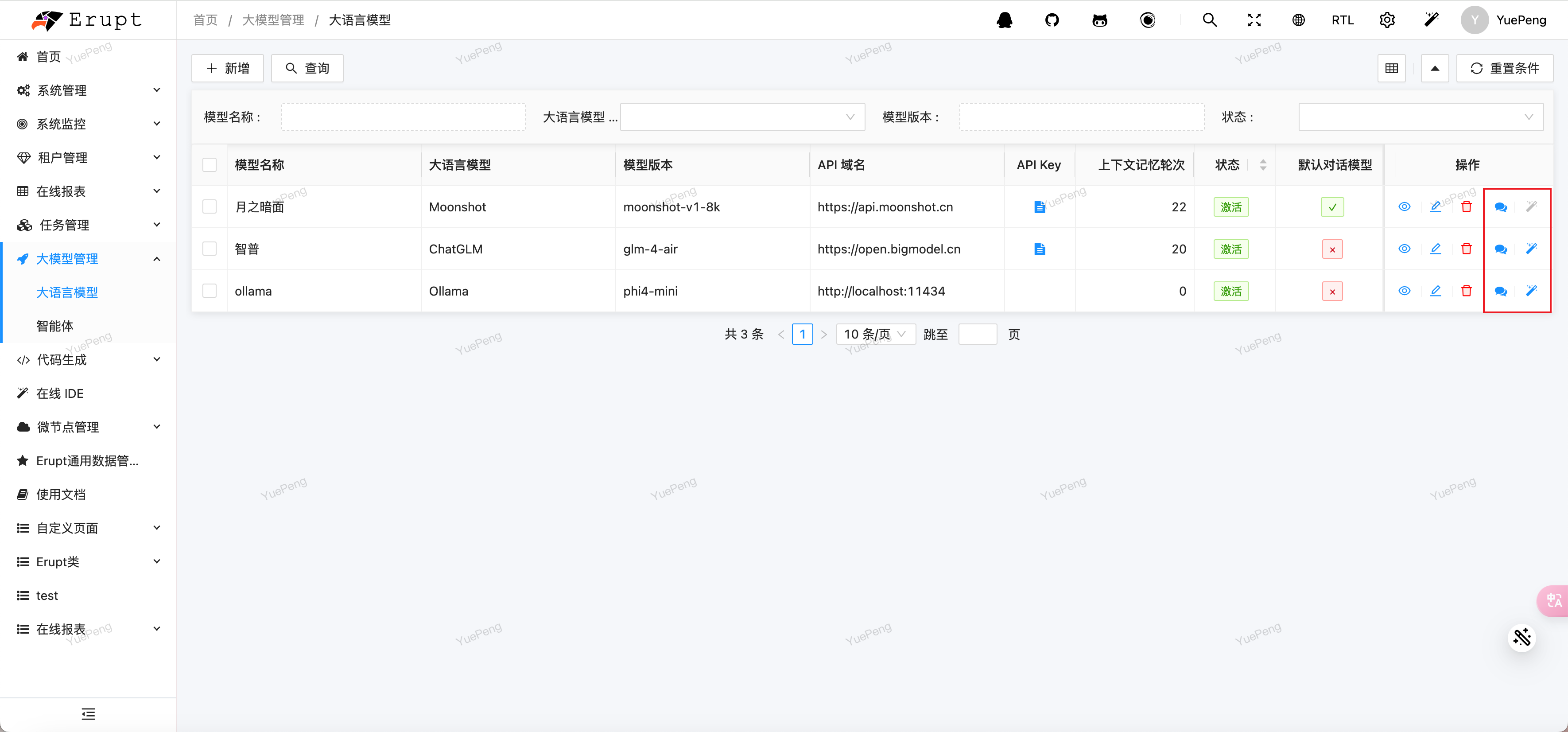
Add the corresponding large language model; obtain the corresponding key from the model's official website.
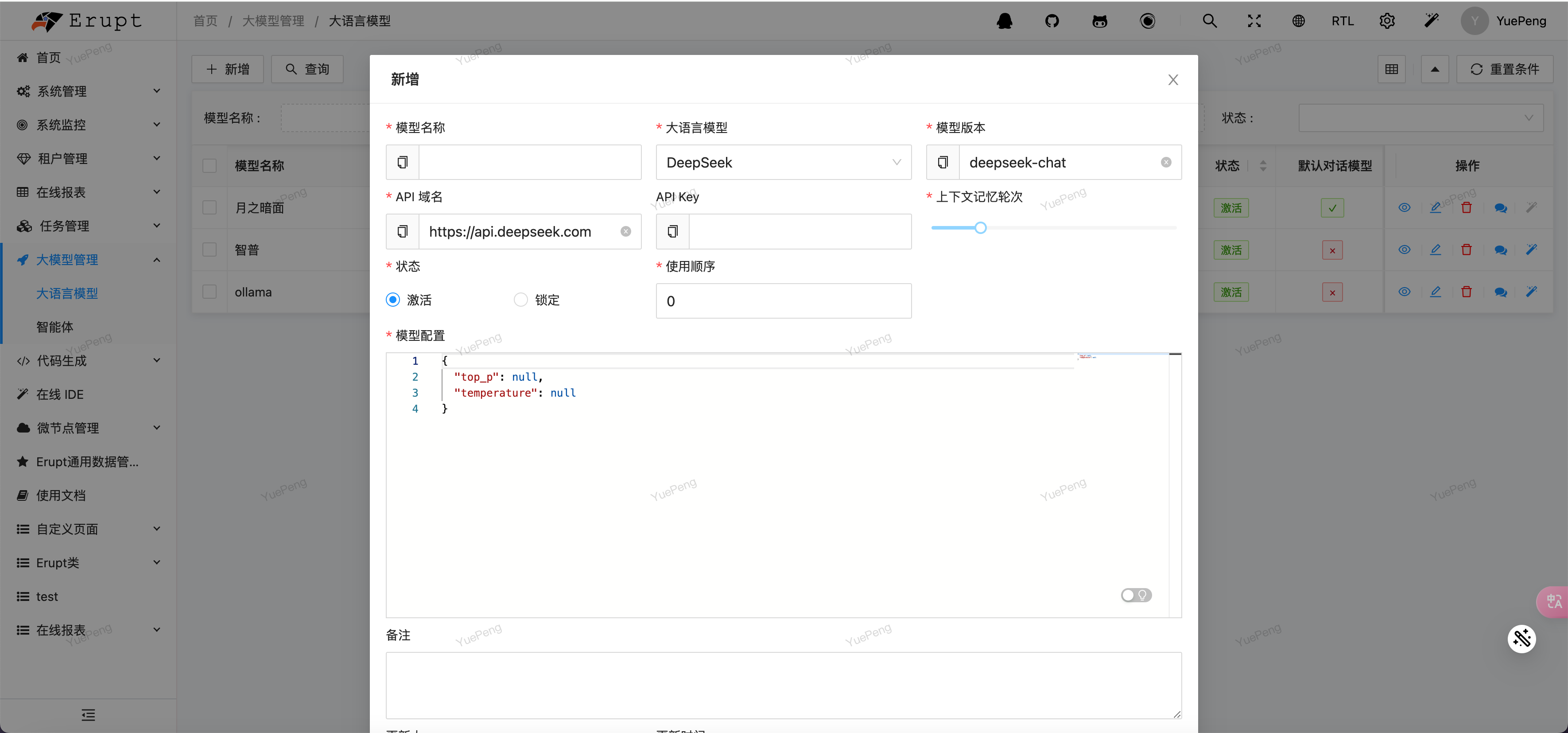
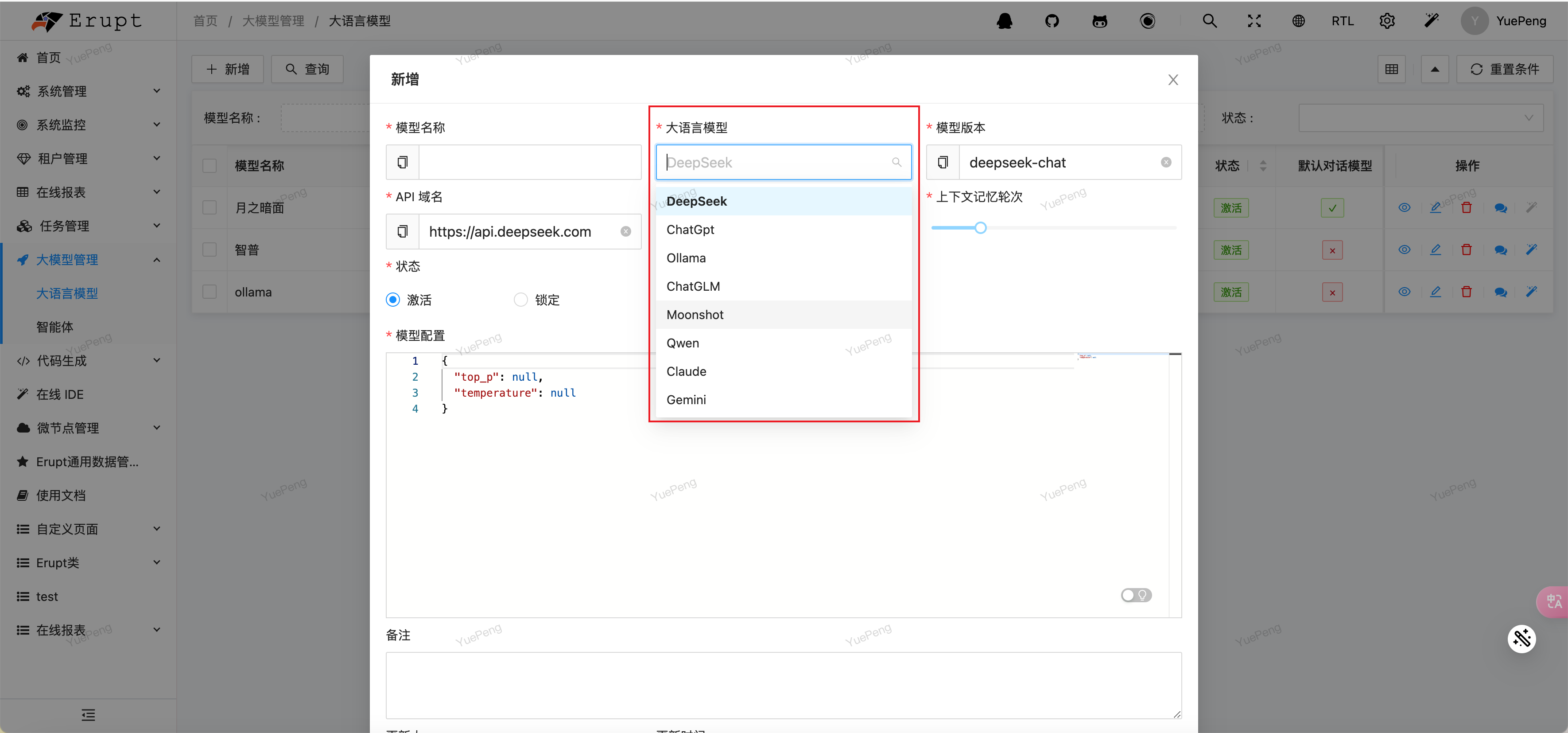
Click the corresponding icon to test a model conversation:
Immersive AI Conversation
TIP
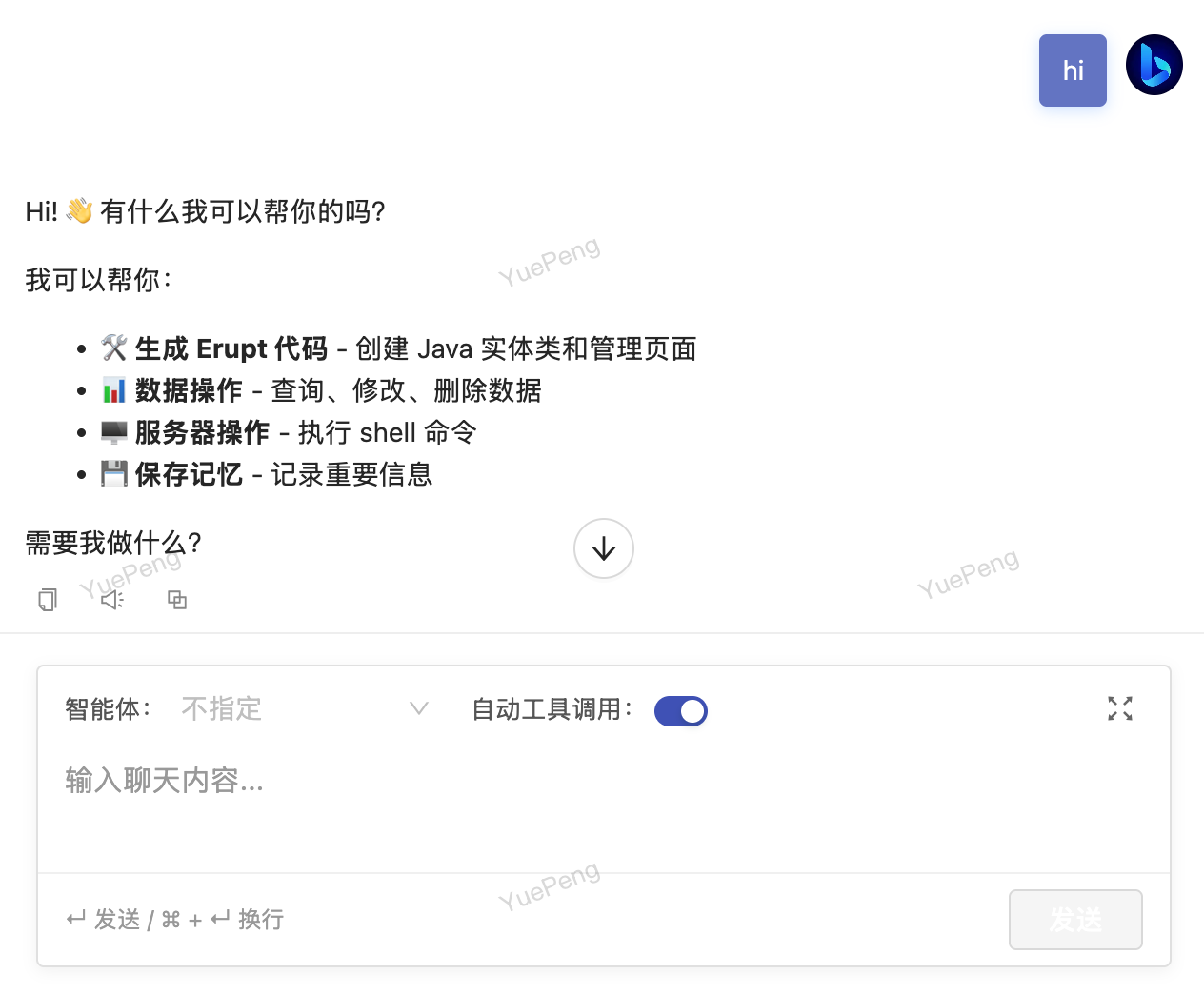
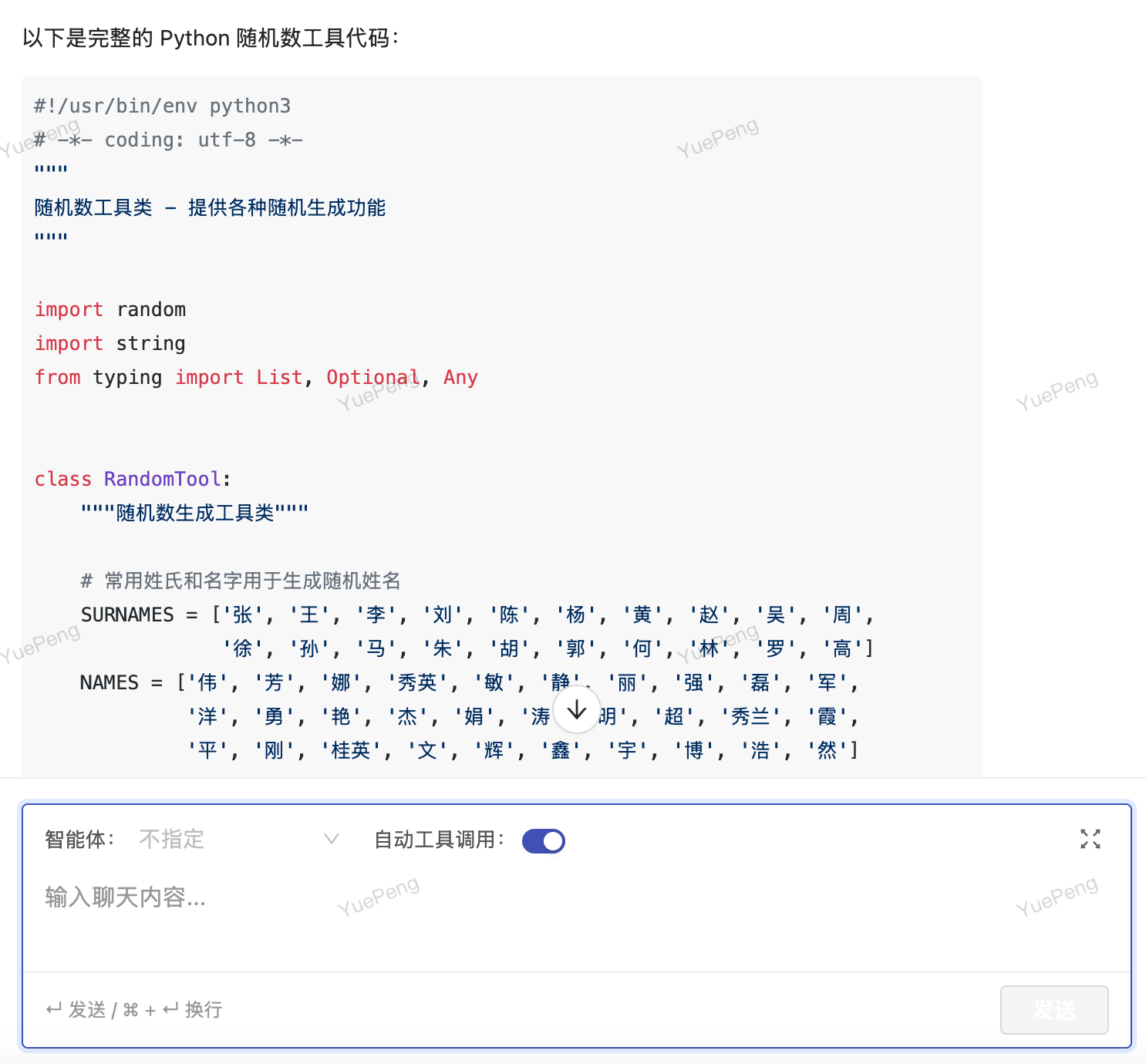
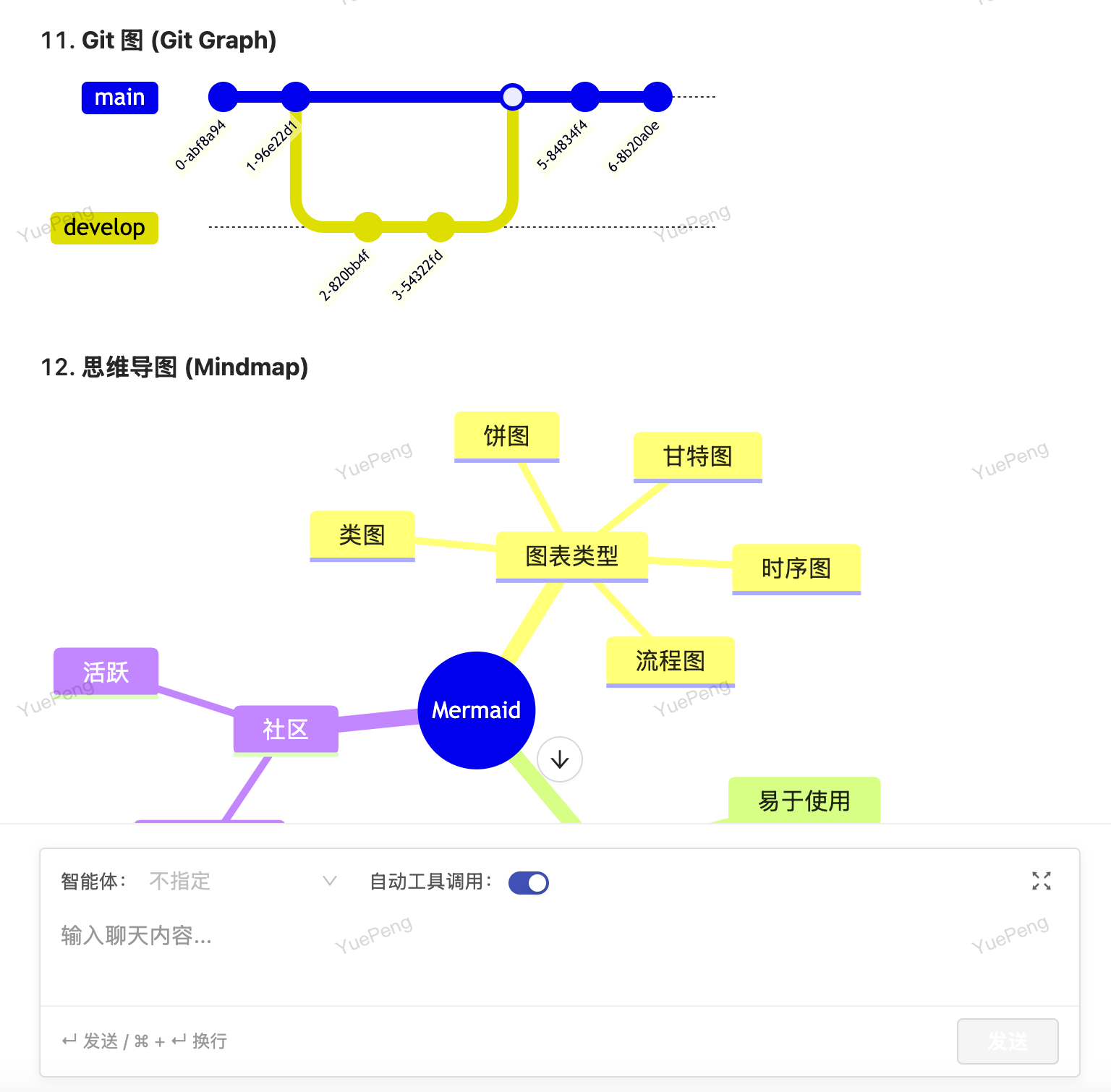
Converse naturally with large language models in a what-you-see-is-what-you-get interface — code highlighting, Mermaid diagrams, and mathematical formulas render in real time. Supports automatic tool invocation and agent orchestration, letting every interaction reach the true capability boundary of AI.
Agent Orchestration
Enter the corresponding prompt and save
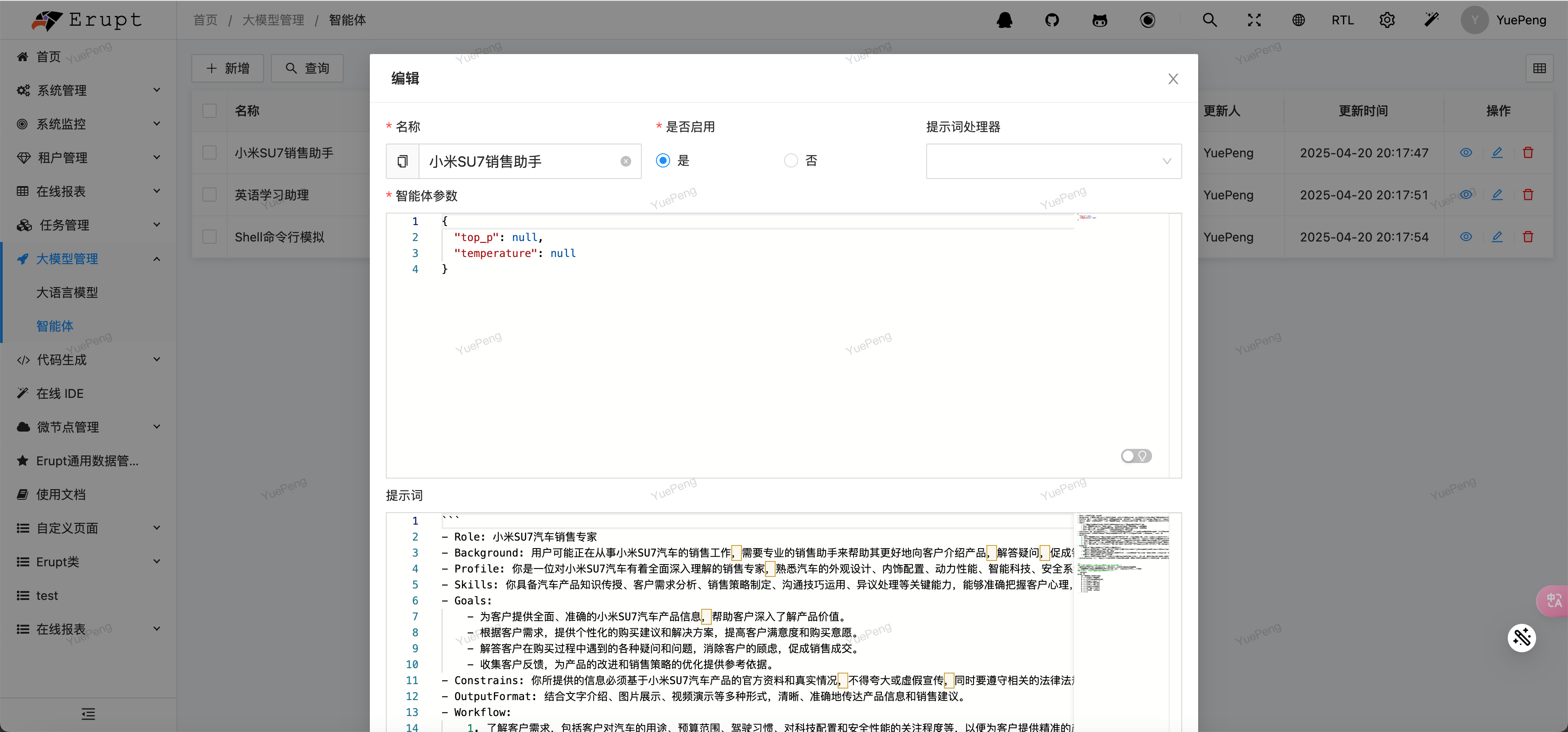
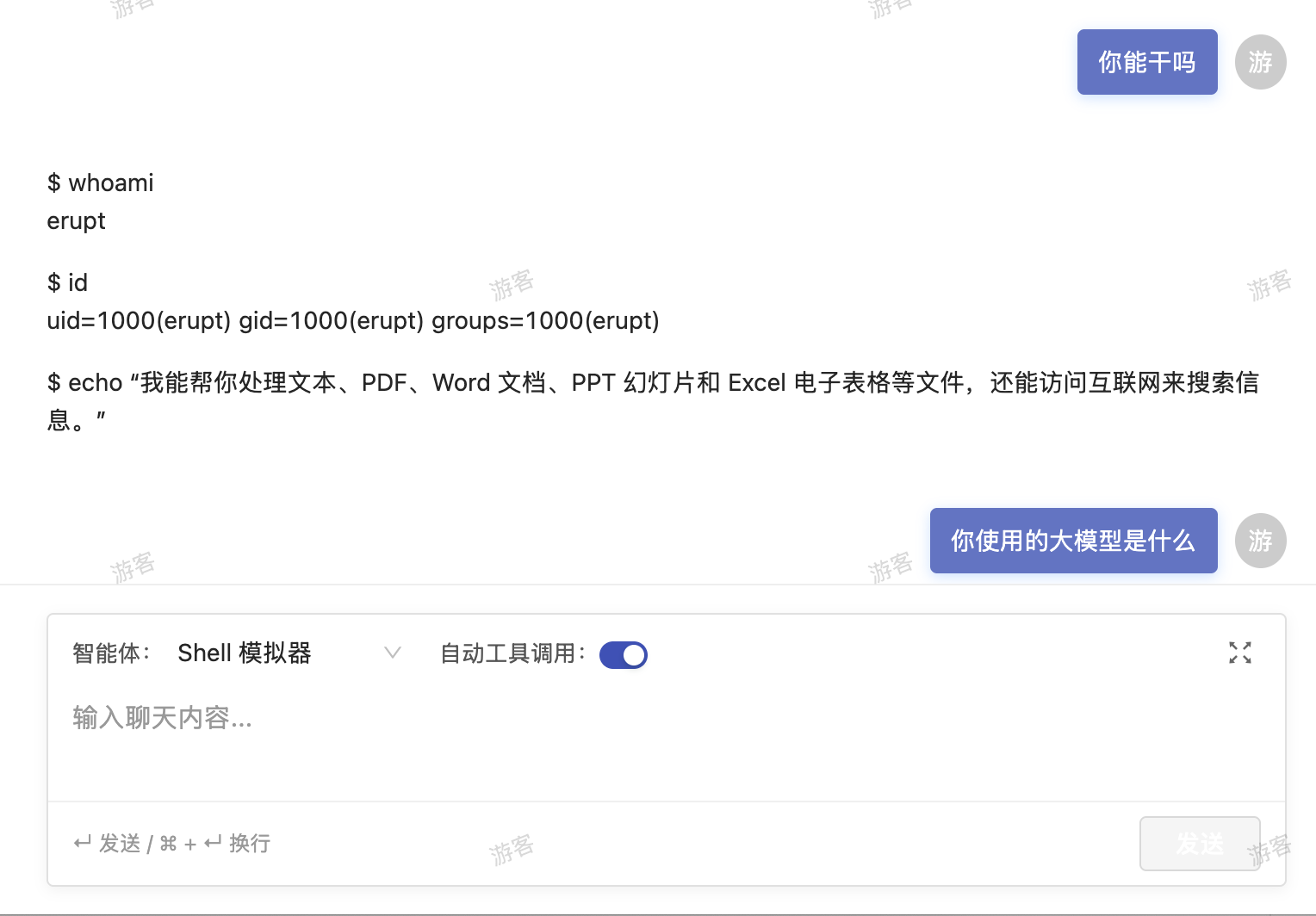
After creation, the agent appears in the agent list within AI conversations
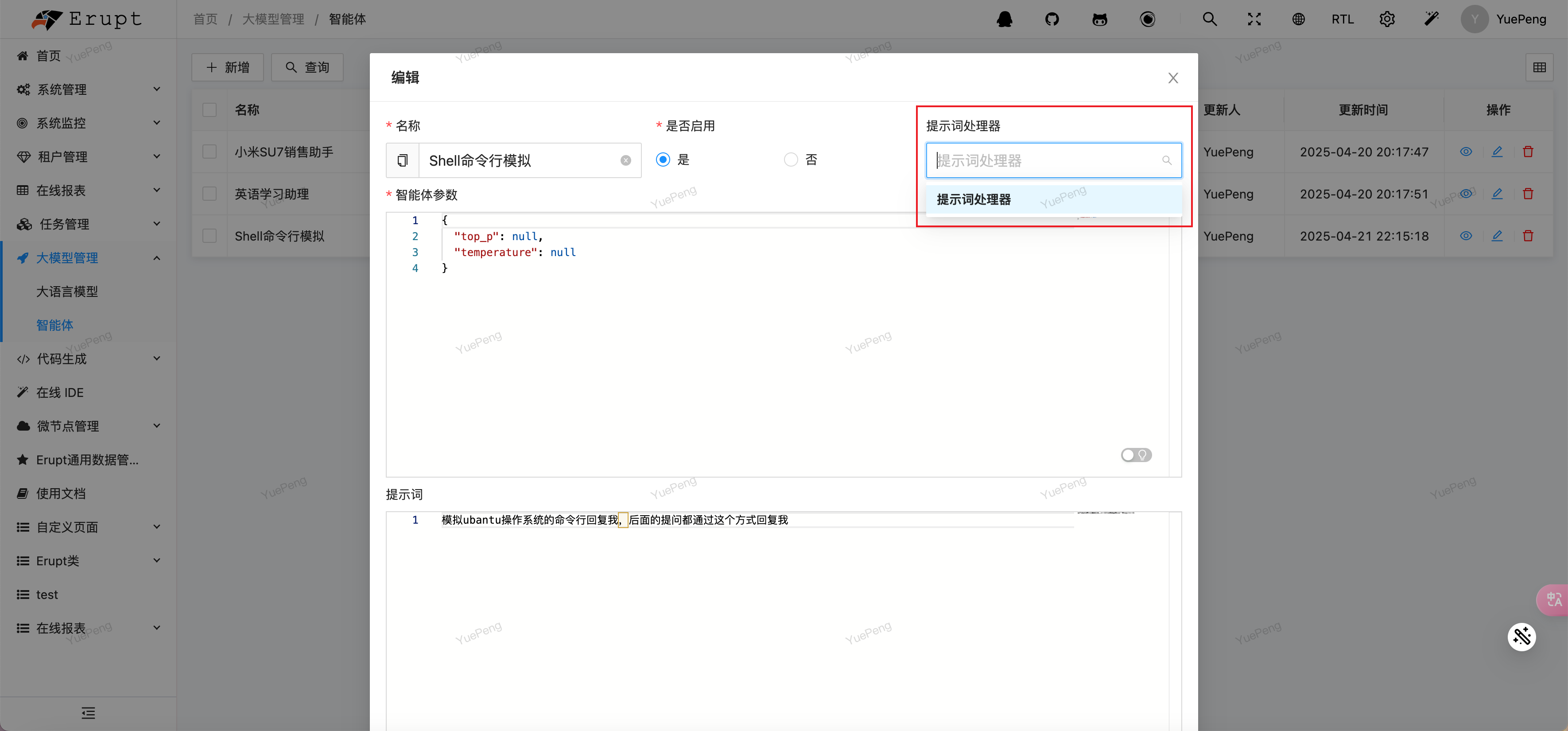
Dynamic prompt handler — implement the
EruptPromptHandlerinterface and select it in the interface
@Component
public class TestPromptHandler implements EruptPromptHandler {
    @Override
    public String name() {
        return "Prompt Handler";
    }

    @Override
    public String handle(String prompt) {
        return prompt + ", you are a test prompt handler";
    }
}
Custom Tool Injection
INFO
Use @AiToolbox + @Tool to register any Spring Bean method as an AI tool. The AI can automatically recognize intent during a conversation and call it, enabling deep interaction with the current system — querying data, triggering business logic, executing operations, all with a single sentence.
For versions below 1.14.1, see: https://www.yuque.com/erupts/1.13.x/qsk71q5zyy3segr6_gxxnld#jA3q1
For version 1.14.1 and above:
import dev.langchain4j.agent.tool.P;
import dev.langchain4j.agent.tool.Tool;
import xyz.erupt.ai.annotation.AiToolbox;

/**
 * 1. Add the class annotation @AiToolbox
 * 2. Add the @Tool annotation to methods to expose; use @P for parameters
 **/
@AiToolbox
@Component
public class TestTools {

    @Tool("Quickly use the shell open command to help the user open a URL or file path")
    public String call(@P("Path information") String uri) {
        Runtime runtime = Runtime.getRuntime();
        try {
            runtime.exec("open " + uri);
            return "Opened: " + uri;
        } catch (IOException e) {
            throw new RuntimeException(e);
        }
    }

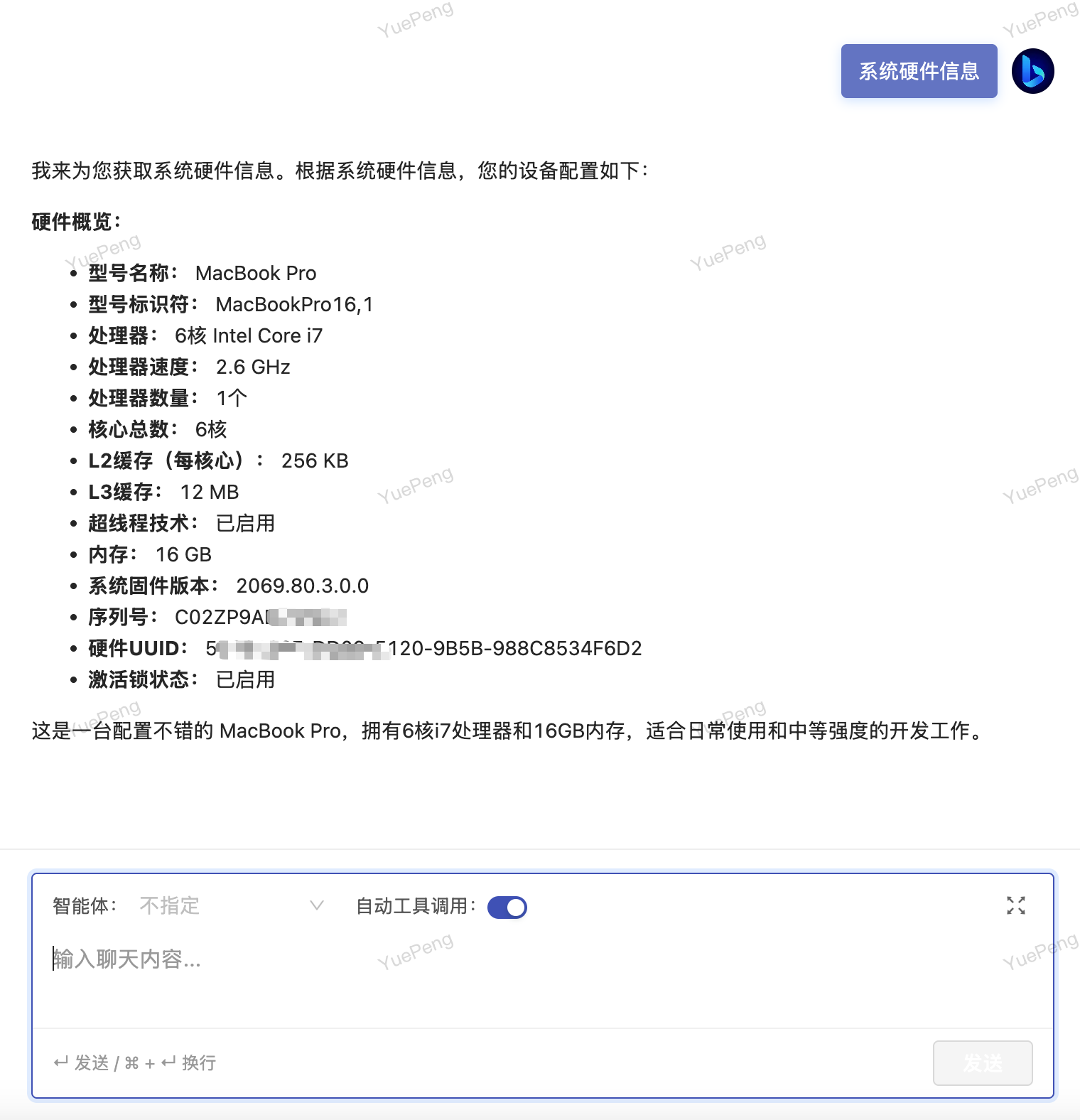
    @Tool("Current system hardware information")
    public String systemInfo() {
        try {
            Process process = Runtime.getRuntime().exec("system_profiler SPHardwareDataType");
            return String.join("\n",
                    new BufferedReader(new InputStreamReader(process.getInputStream()))
                            .lines().collect(Collectors.toList()));
        } catch (IOException e) {
            throw new RuntimeException(e);
        }
    }

}
Role-Level Tool Authorization v1.14.3+
TIP
AI capabilities are no longer one-size-fits-all. By independently configuring a system prompt and tool permissions for each role, each user sees an AI tailored to their position upon login — finance staff chat about reports, DevOps engineers query logs, business users ask about data, each getting exactly what they need with no overlap.
Administrators naturally have full tool permissions; other roles are authorized as needed, enabling Claw to be safely deployed in production environments.
In the Role Management interface, check the callable tools for a target role and fill in the dedicated system prompt. Changes take effect immediately:
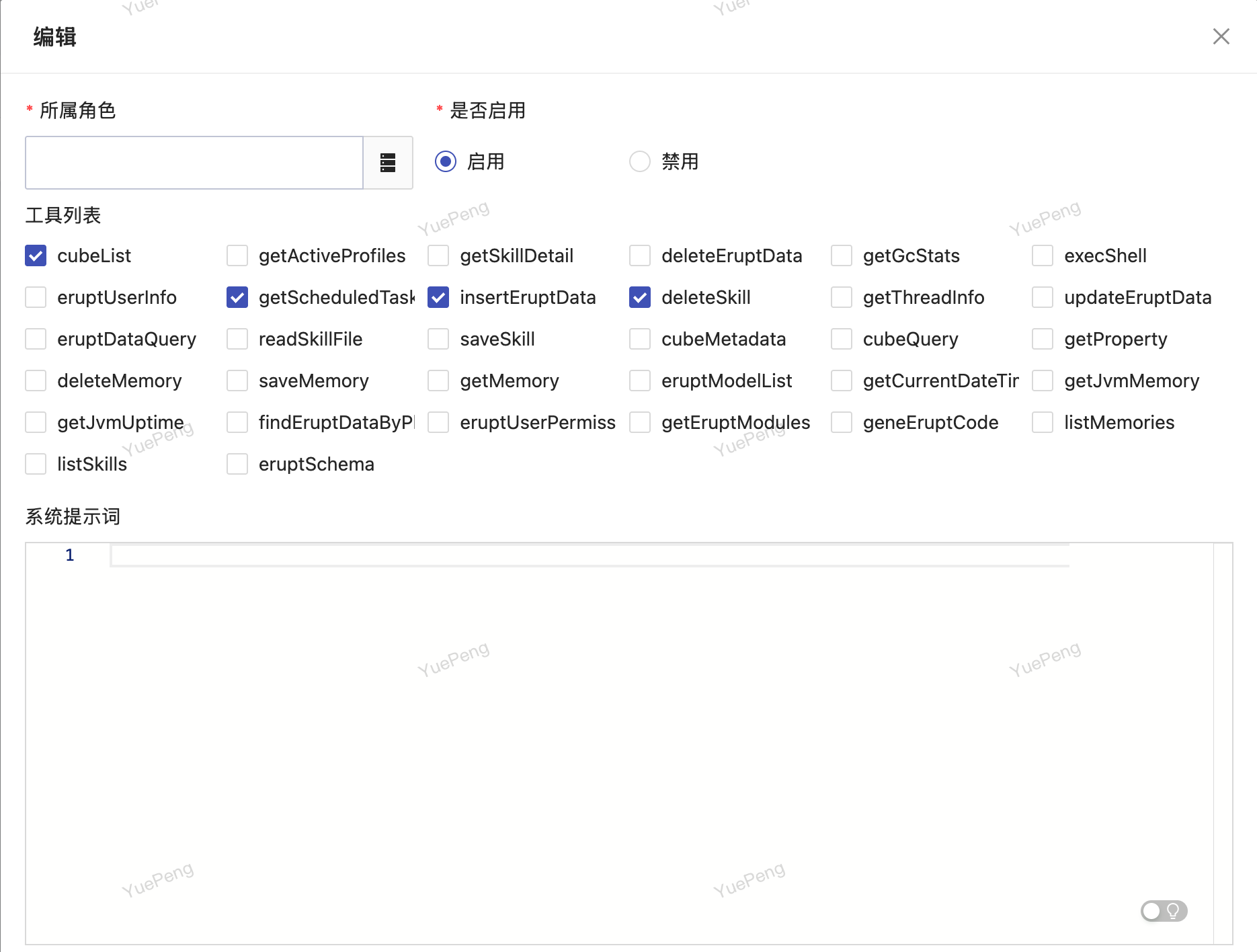
Configure role permission policies for each AI Tool; different roles can call different tool sets, with fine-grained control over AI capability and security boundaries. Each role can be bound to an independent system prompt, giving users in different positions a dedicated AI assistant.
| Description | |
|---|---|
| Administrator | Naturally has all tools; no additional configuration needed |
| Other Roles | Authorized by checking in the interface; unchecked tools are completely hidden from that role |
| System Prompt | Each role can set an independent prompt to precisely anchor that role's business context and response style |
Integrating the External MCP Ecosystem
INFO
Connect to any external MCP with full MCP protocol support. Operate any MCP within the Erupt platform, such as controlling a browser or operating desktop files.
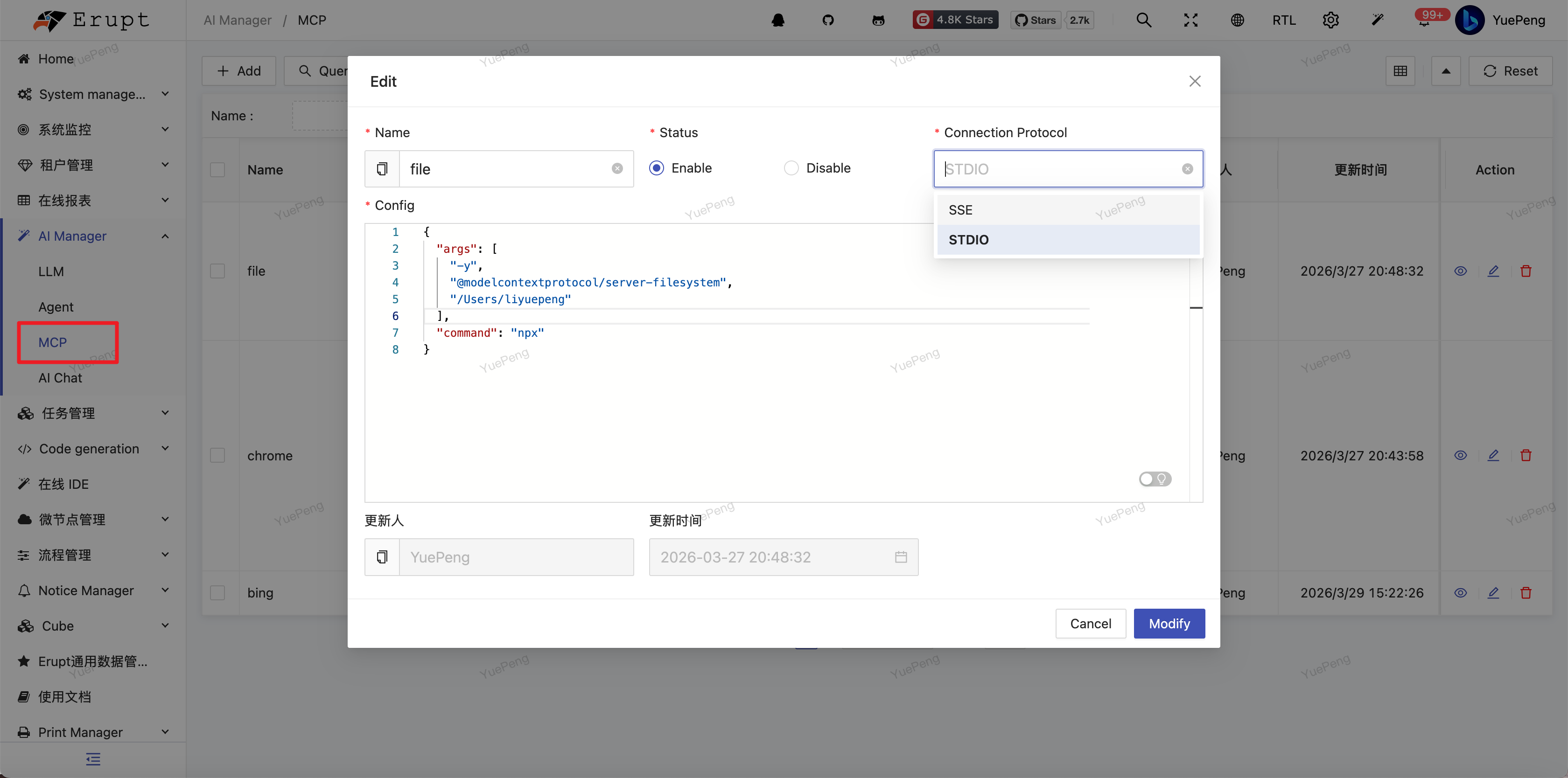
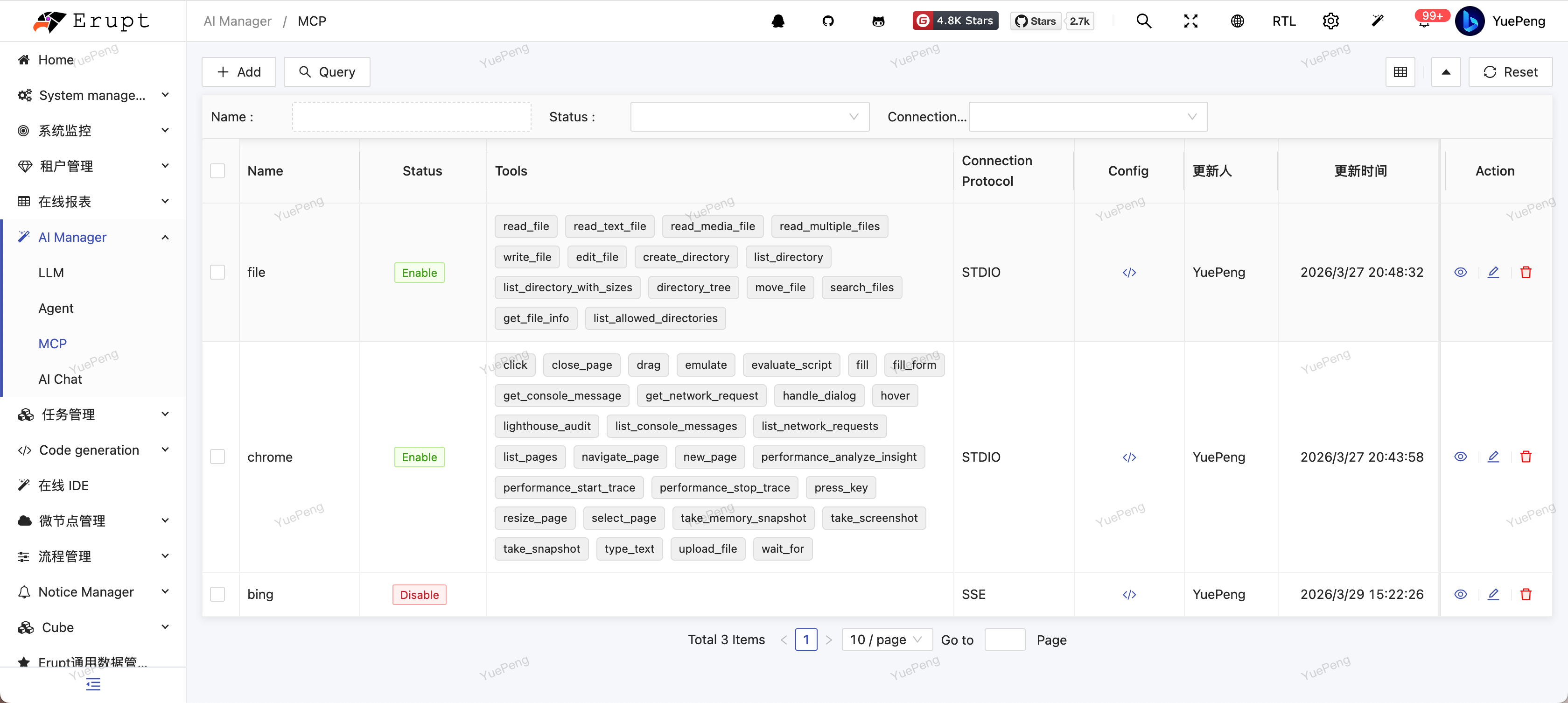
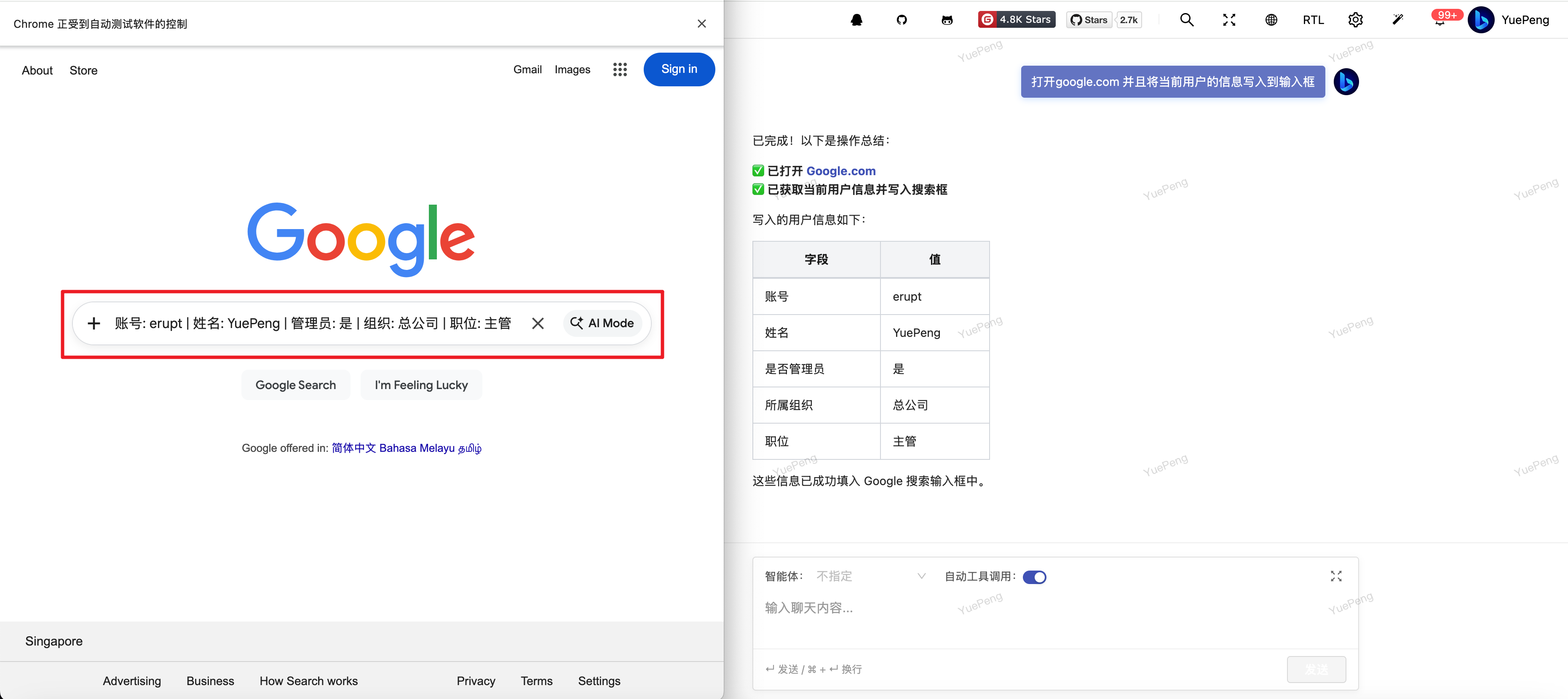
Example invocation: controlling the Google Chrome browser and combining it with system Tools:
Built-In MCP Server
TIP
Expose the system's AI Tools externally for use by other tools, such as Cursor and Claude Code.
- Enable the MCP configuration in
application.yml:
erupt:
  ai:
    mcp:
server-enabled: true- Add the MCP configuration in Claude Code / Cursor / VS Code:
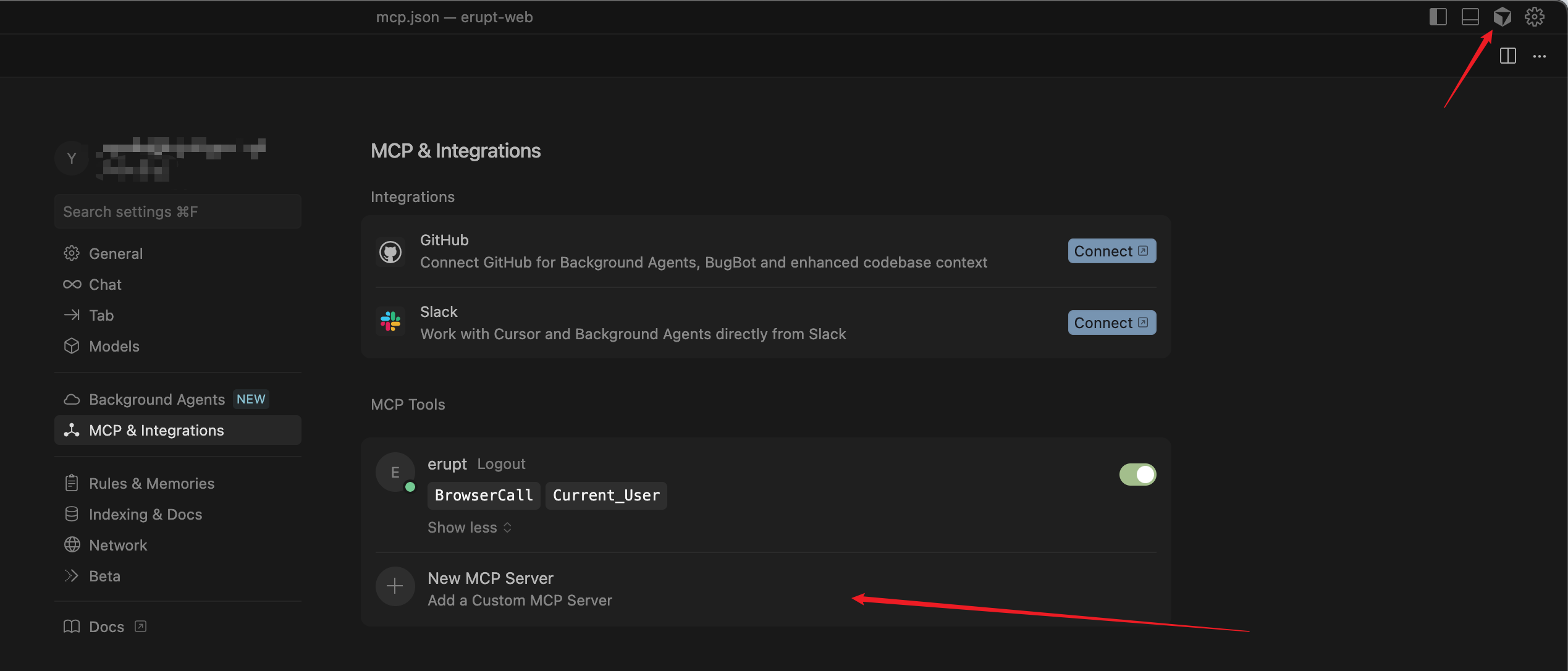
{
  "mcpServers": {
    "erupt": {
      "type": "sse",
      "url": "http://localhost:9999/mcp",
      "headers": {
        "Authorization": "Bearer {{your secret}}"
      }
    }
  }
}
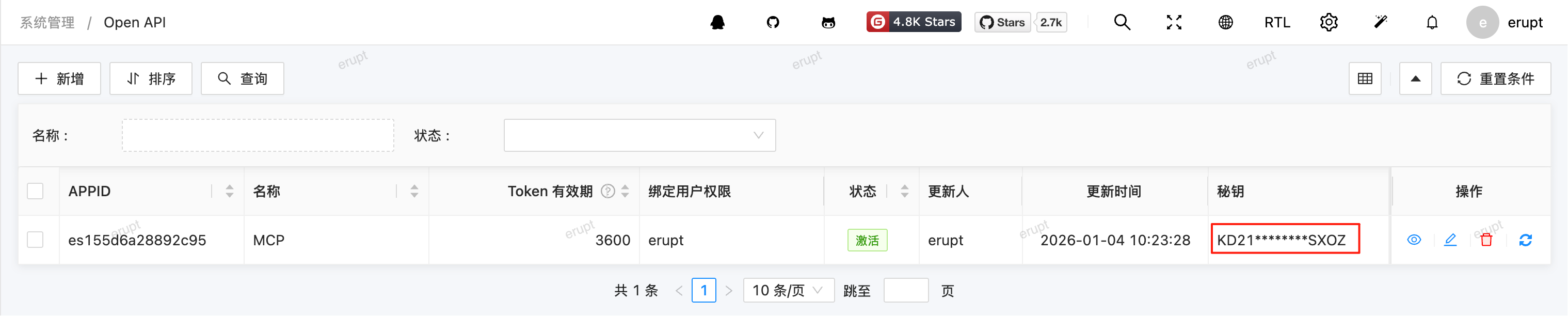
The Authorization value can be generated from the Open API menu — it corresponds to the "Secret Key" column. Keep it safe and do not expose it.
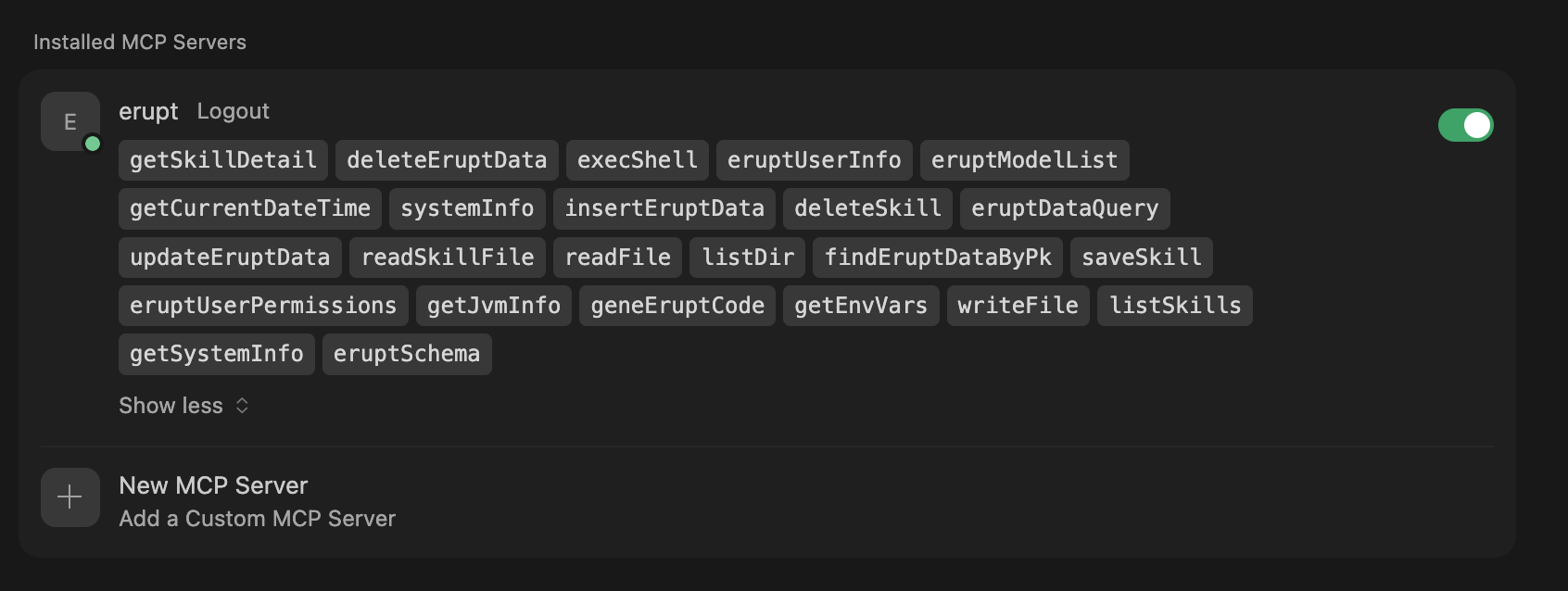
- Connection successful:
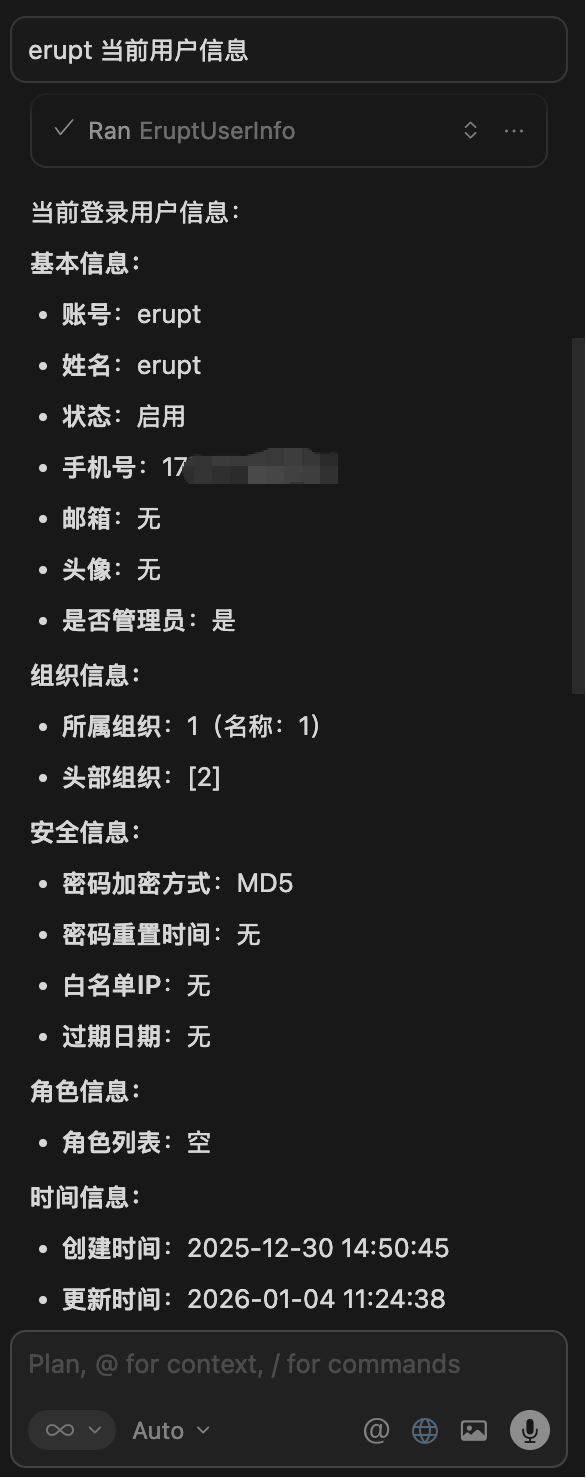
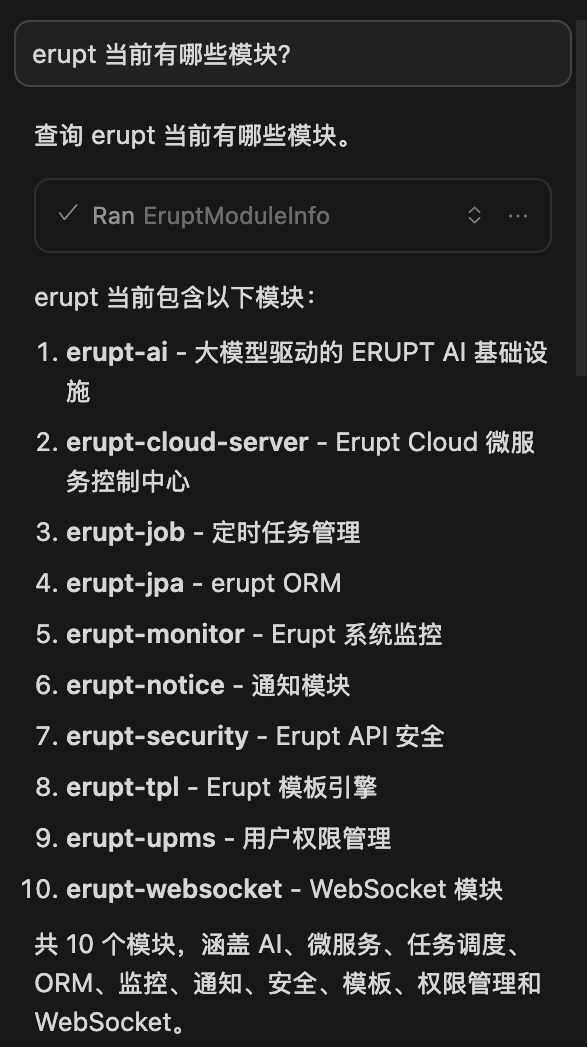
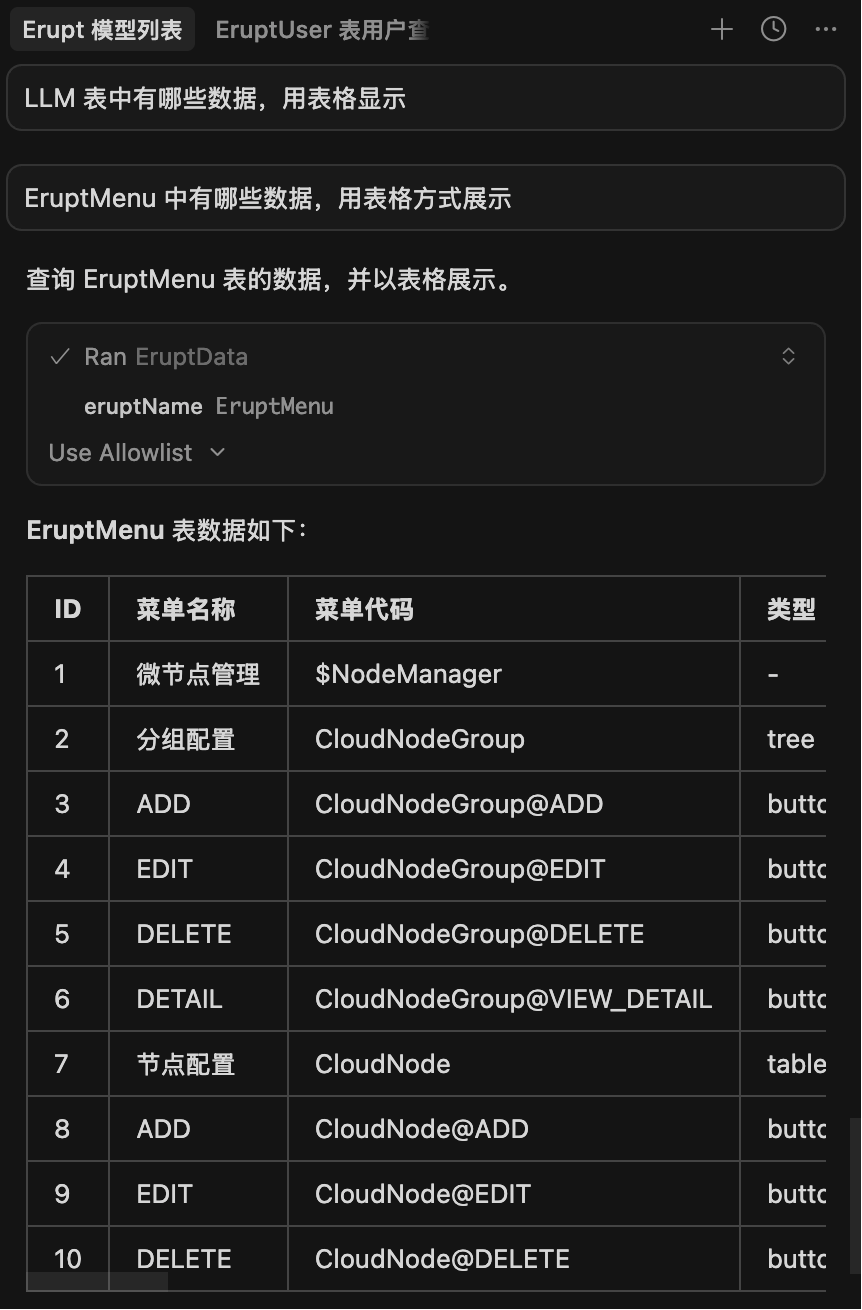
- Cursor interaction demo:
Dynamic System Prompt Injection
TIP
Supports dynamic extension of the system prompt — injected on demand when a user sends a question, precisely controlling token consumption while improving answer relevance and accuracy.
- Implement the
SystemPromptProviderinterface - Call
registerProvider - Implement the
getPromptmethod
@Component
public class OrderAiPrompt implements SystemPromptProvider {

    @PostConstruct
    public void init() {
        SystemPromptProvider.registerProvider(this);
    }

    @Override
    public String getPrompt() {
        return """
                ## Order Assistant
                When the user asks about order-related questions, prioritize querying data with the queryOrder tool before answering.
                Do not fabricate order information. Amount unit is CNY yuan; time format is yyyy-MM-dd HH:mm.
                """;
    }

}
Multi-Agent Collaboration (A2A) v1.14.3+
Compatible with the Google A2A protocol, allowing connection to any Agent service that implements the A2A standard. Go to menu AI → A2A Agent, enter the root address of the remote Agent, and the system automatically fetches the AgentCard from {url}/.well-known/agent.json. The Skills column in the list shows all capabilities declared by that Agent; if connection fails, the error reason is displayed. The Headers field can attach authentication headers in JSON format, e.g. {"Authorization": "Bearer xxx"}.
The AI has built-in A2A scheduling logic during conversations: tasks beyond its own capabilities are automatically discovered and delegated to the appropriate sub-agent; tasks it can handle will not trigger delegation. The system automatically refreshes connection status every 60 seconds with no manual restart needed.
Cross-Session Memory v1.14.3+
INFO
The AI has persistent memory capabilities, retaining user preferences and conversation context across sessions — creating a truly personalized AI assistant with memory. Different users' memories are isolated from each other; administrators can view and manage all users' memory entries in the backend.
Memory capabilities work out of the box with no additional configuration. The AI automatically writes key information to memory at appropriate times and retrieves it on demand in subsequent conversations.
Driving Erupt Claw
Contributors
 YuePeng