
Erupt AI Claw
INFO
Erupt AI Claw lets you drive the server directly through natural language — operating annotation-driven data and business, executing shell commands, reading and writing files, and extending custom Skills, as simply as chatting with a colleague.
A self-evolving agent that works and learns simultaneously, supports dozens of models interchangeably, auto-expands its skill library, and intelligently searches conversation memory. The agent learns while working and can run on an ordinary computer.
Usage
<!-- Supported from version 1.14.1 and above -->
<dependency>
    <groupId>xyz.erupt</groupId>
    <artifactId>erupt-ai-claw</artifactId>
    <version>${LATEST}</version>
</dependency>erupt:
ai:
claw:
# Whether to enable Claw
enabled: true
# Whether to allow executing shell commands (default true; recommended false in production)
enable-exec-shell: true # v1.14.3+WARNING
Claw has full tool permissions by default. In production environments, restrict the available Tool scope via role configuration (supported from v1.14.3+, see Role-Level Tool Authorization). Security first!
Token Preparation
The effectiveness of Claw varies by model. Mainstream public models are recommended.
Claw and SKILLS
INFO
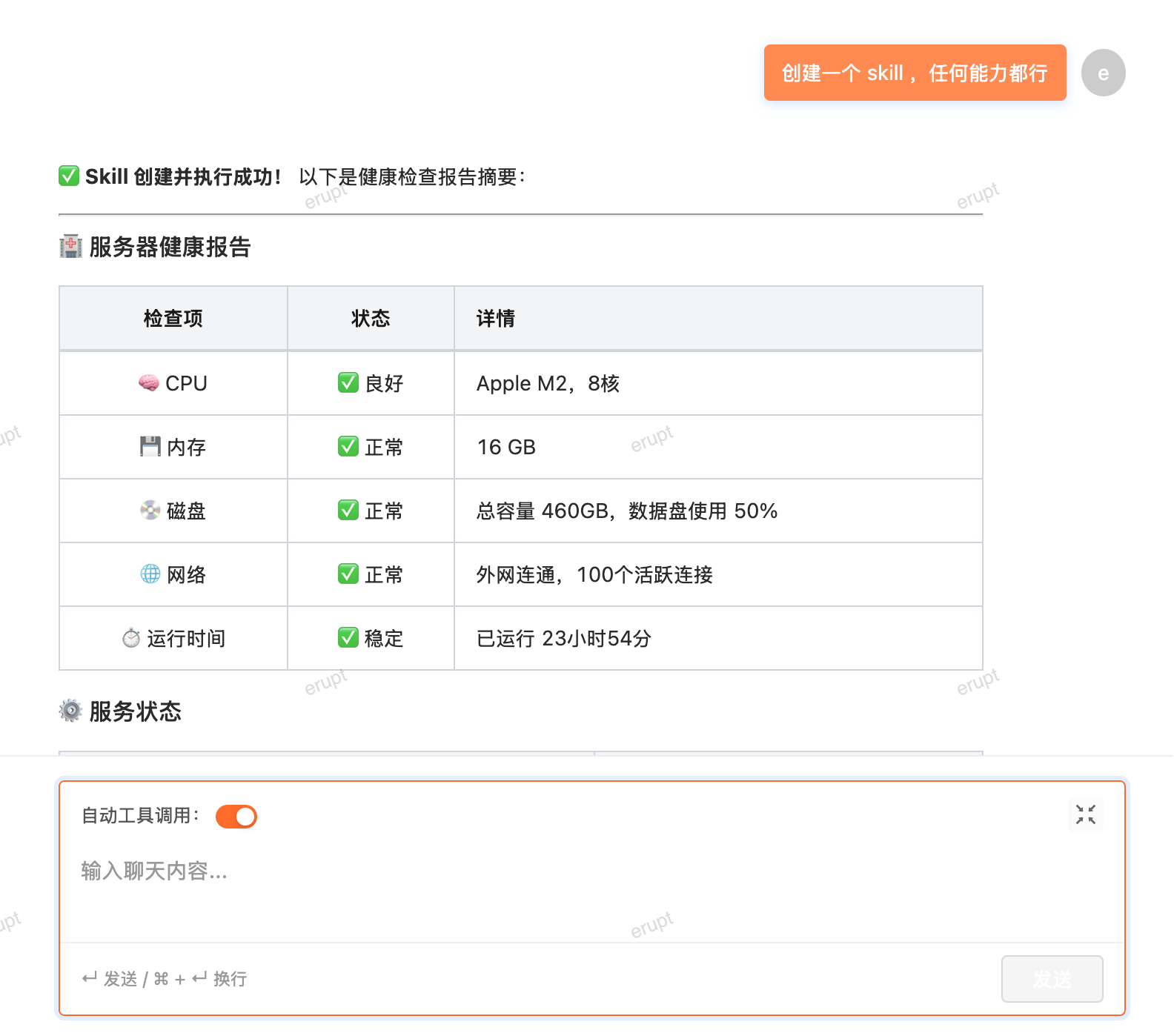
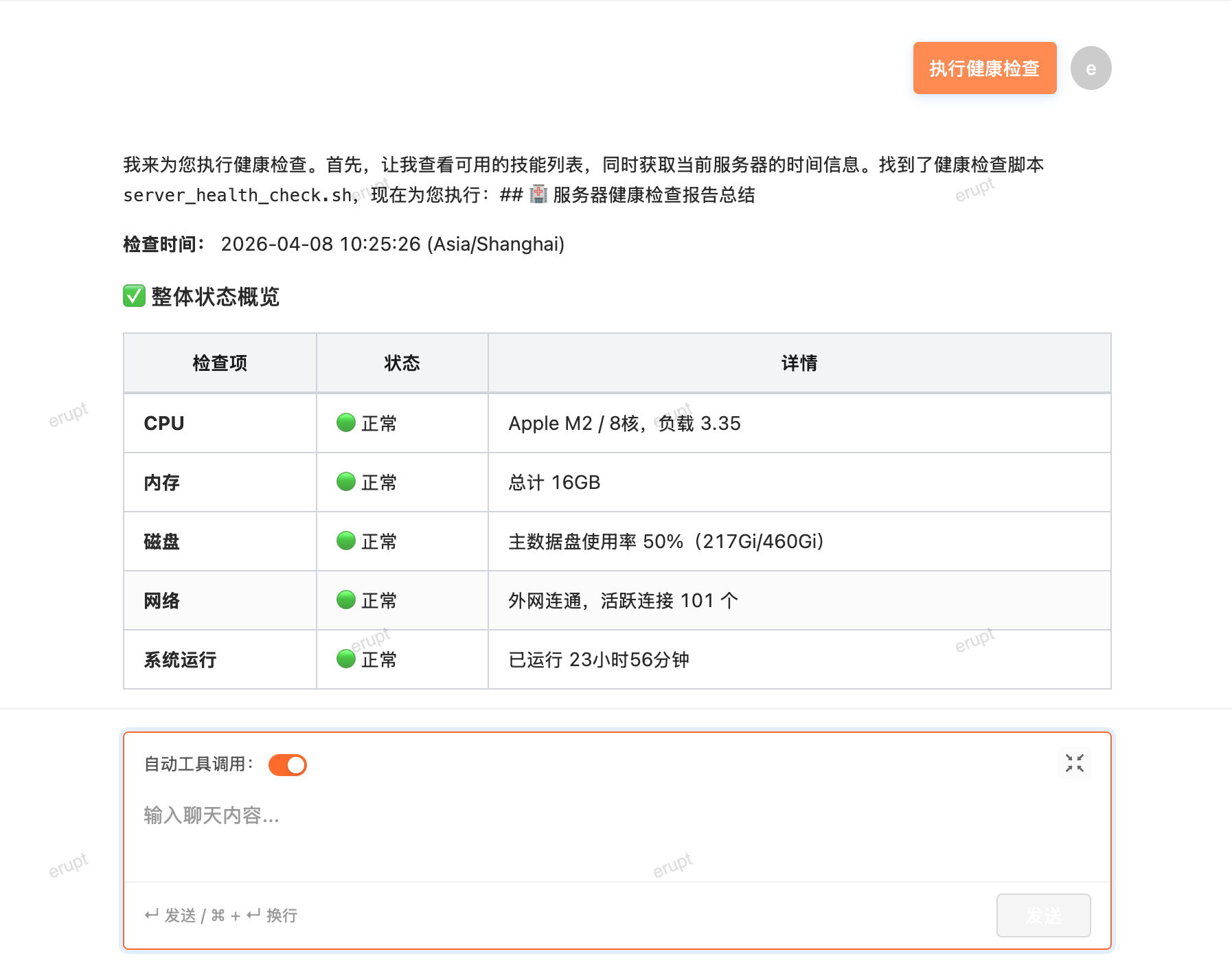
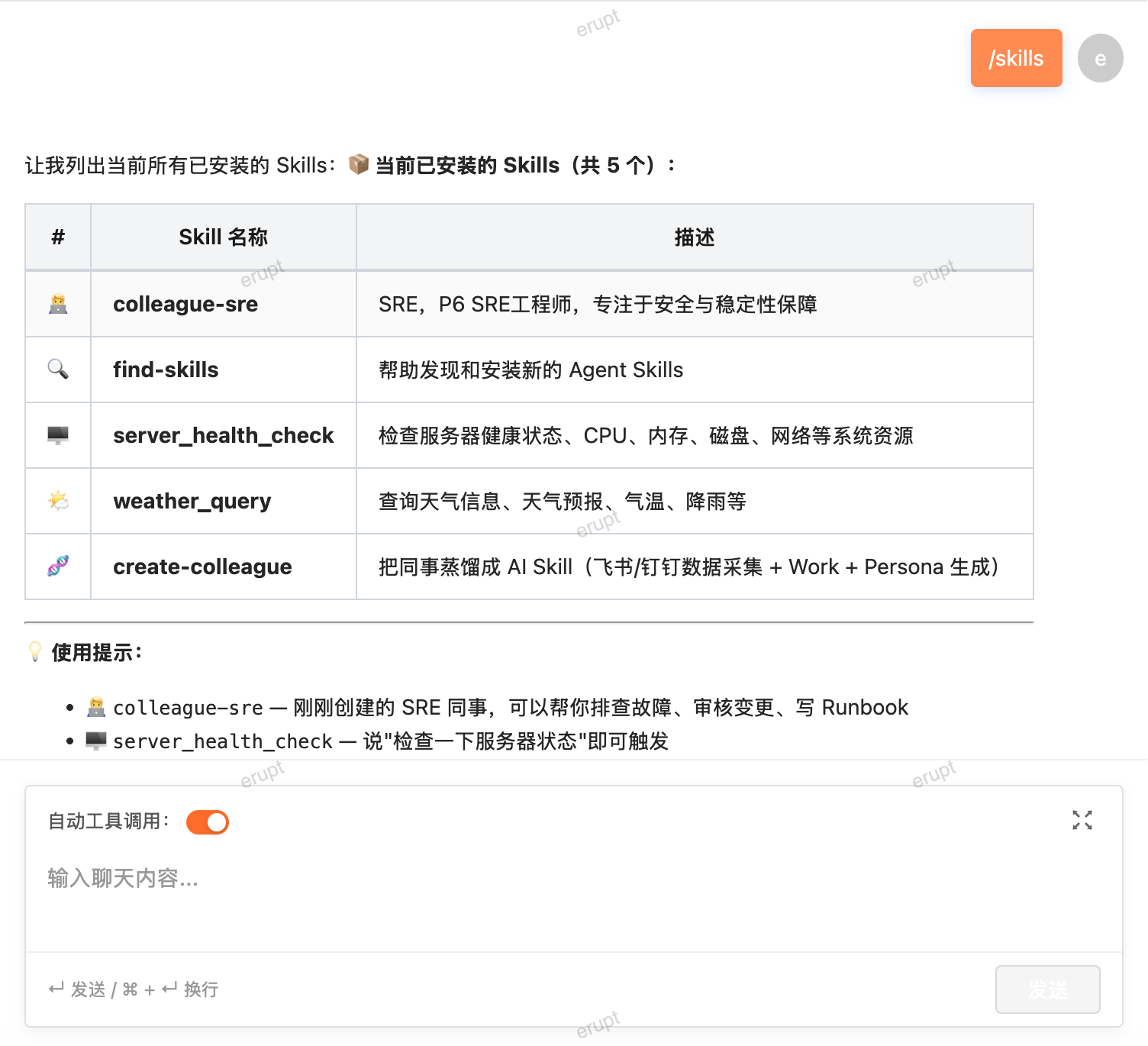
Supports interaction with 700,000+ Skills, and can also dynamically create Skills via prompts. Erupt Claw will automatically match and execute the corresponding Skill based on the prompt.
Skill marketplace: https://skills.sh
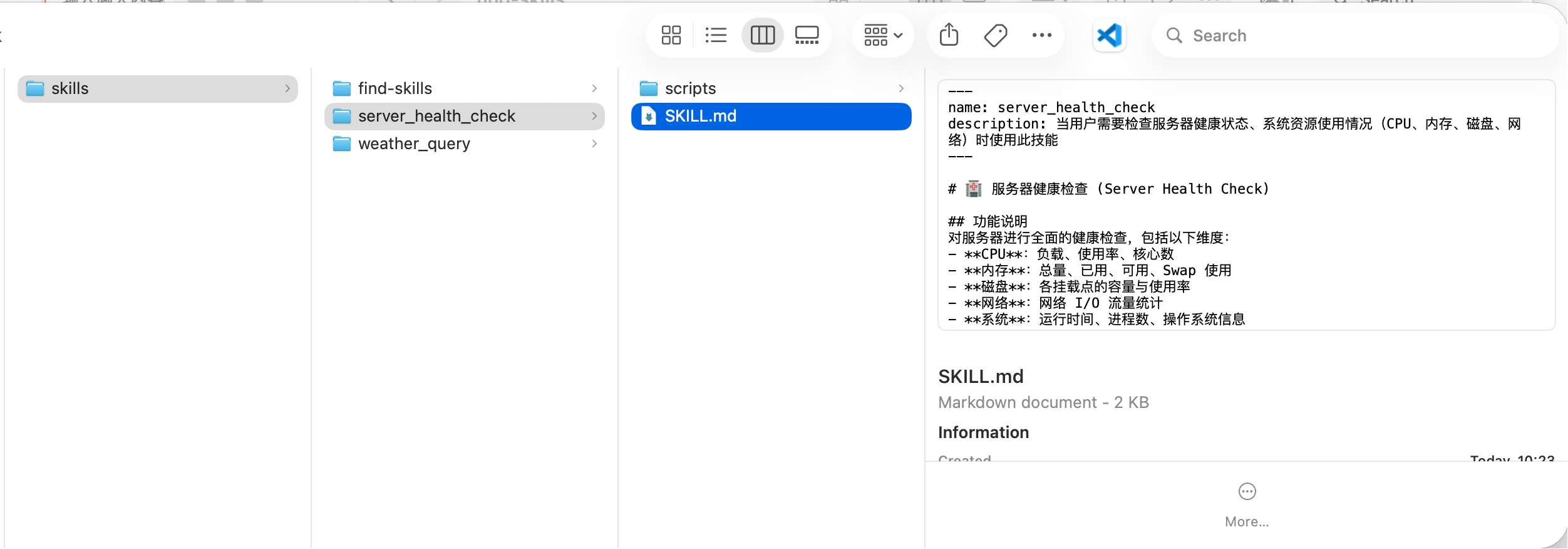
# You can also manually place skill files in the following directory
~/.erupt/skills/
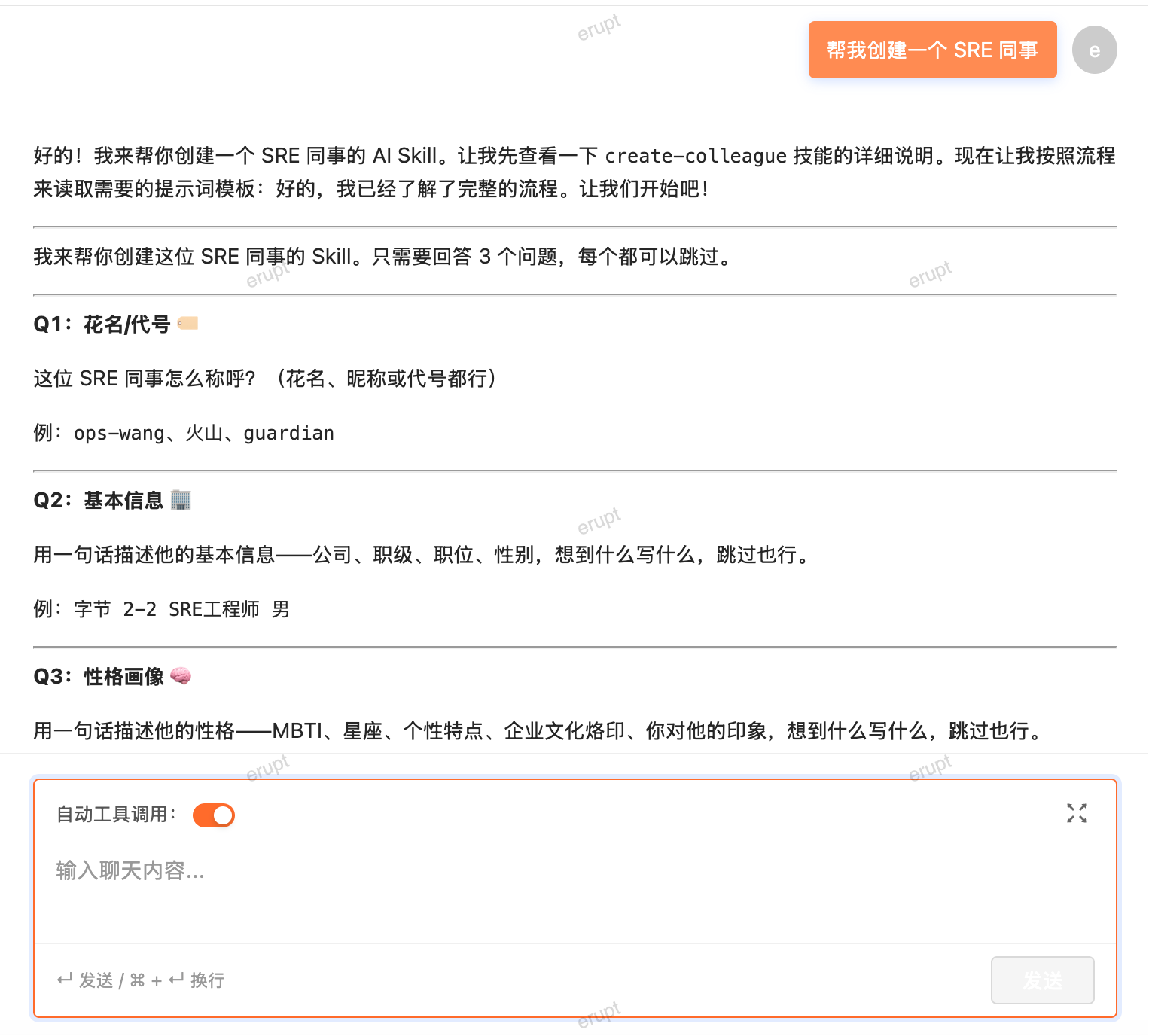
Creating a SKILL
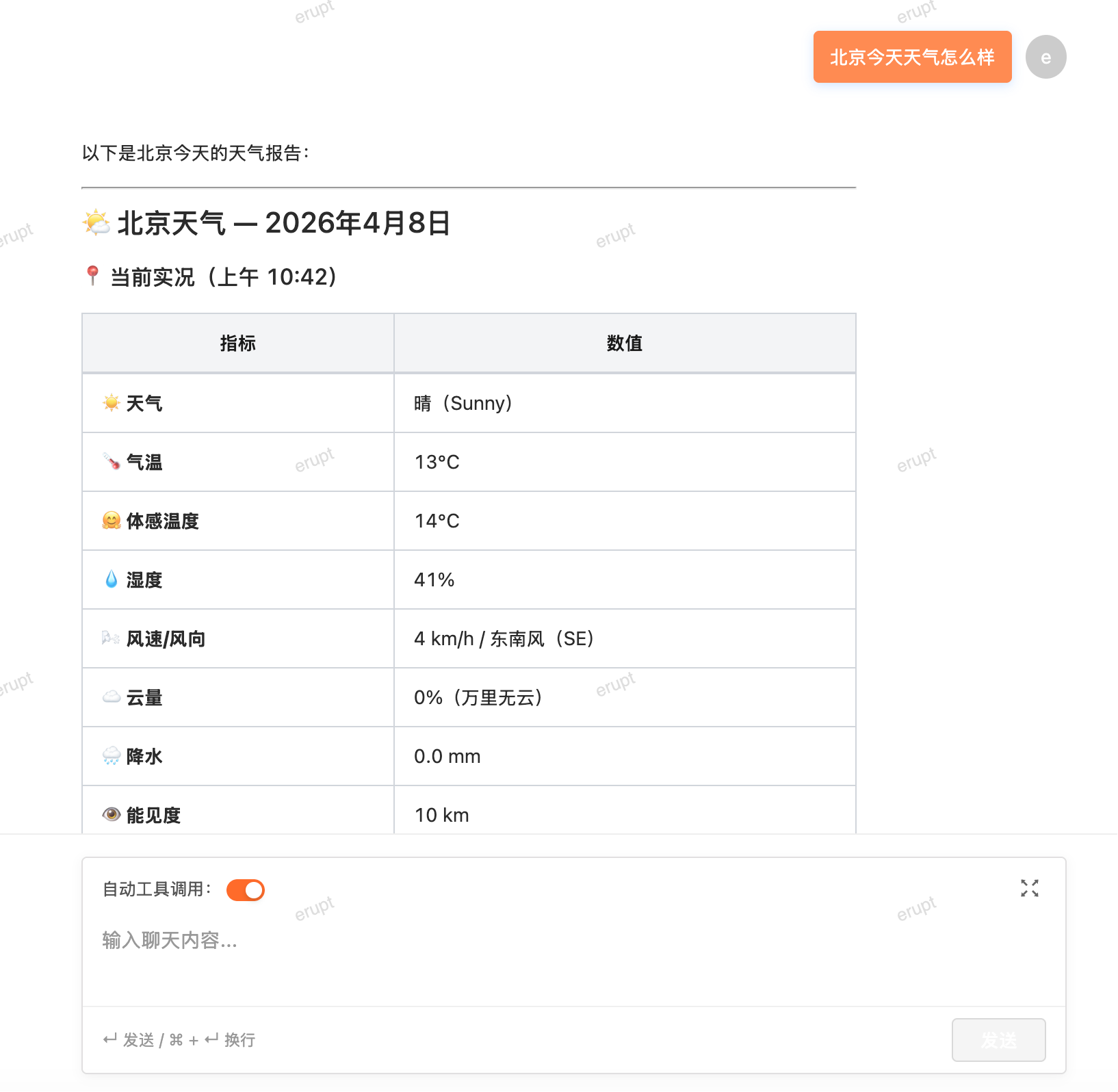
Executing a SKILL
Claw and Erupt Model Interaction
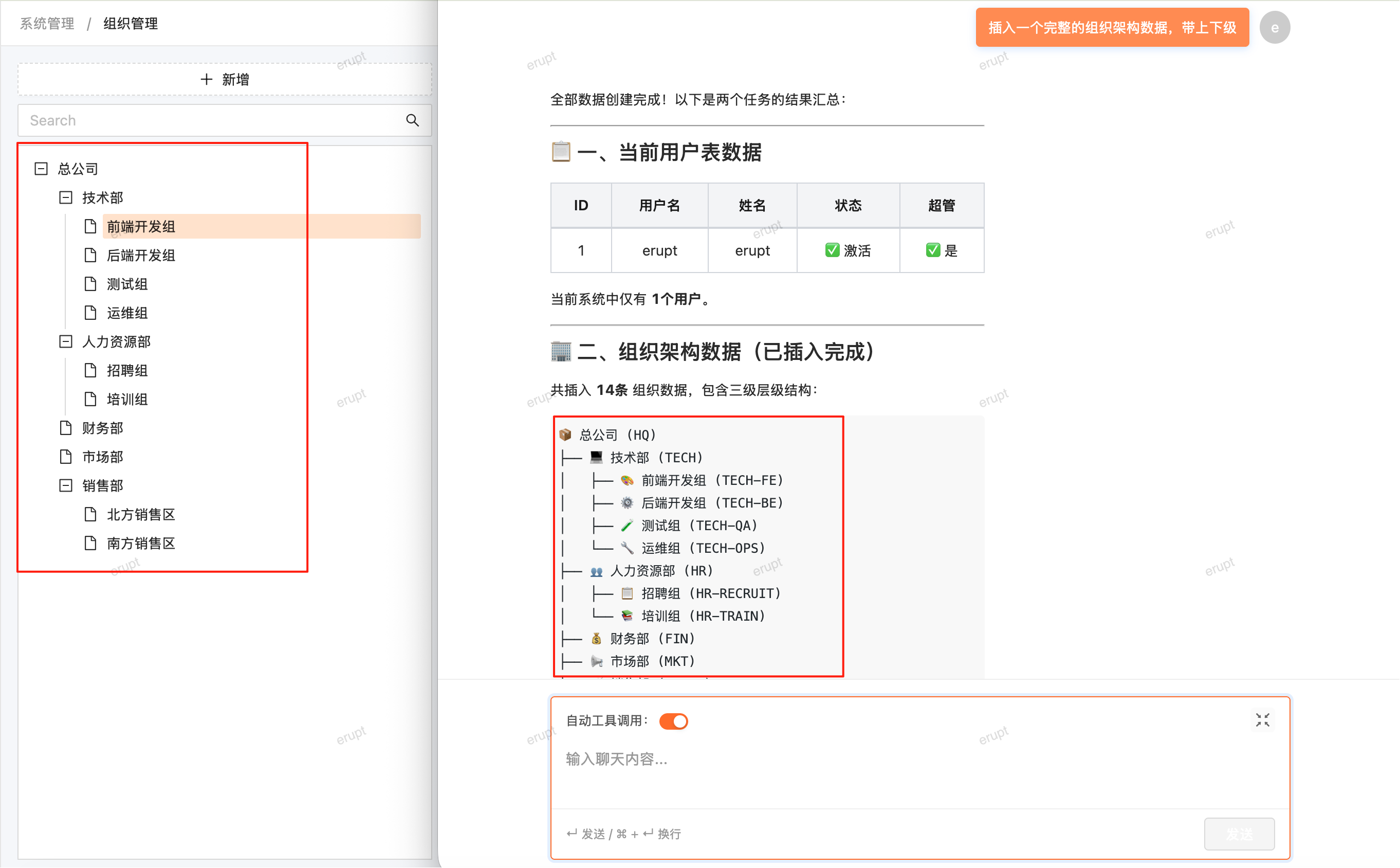
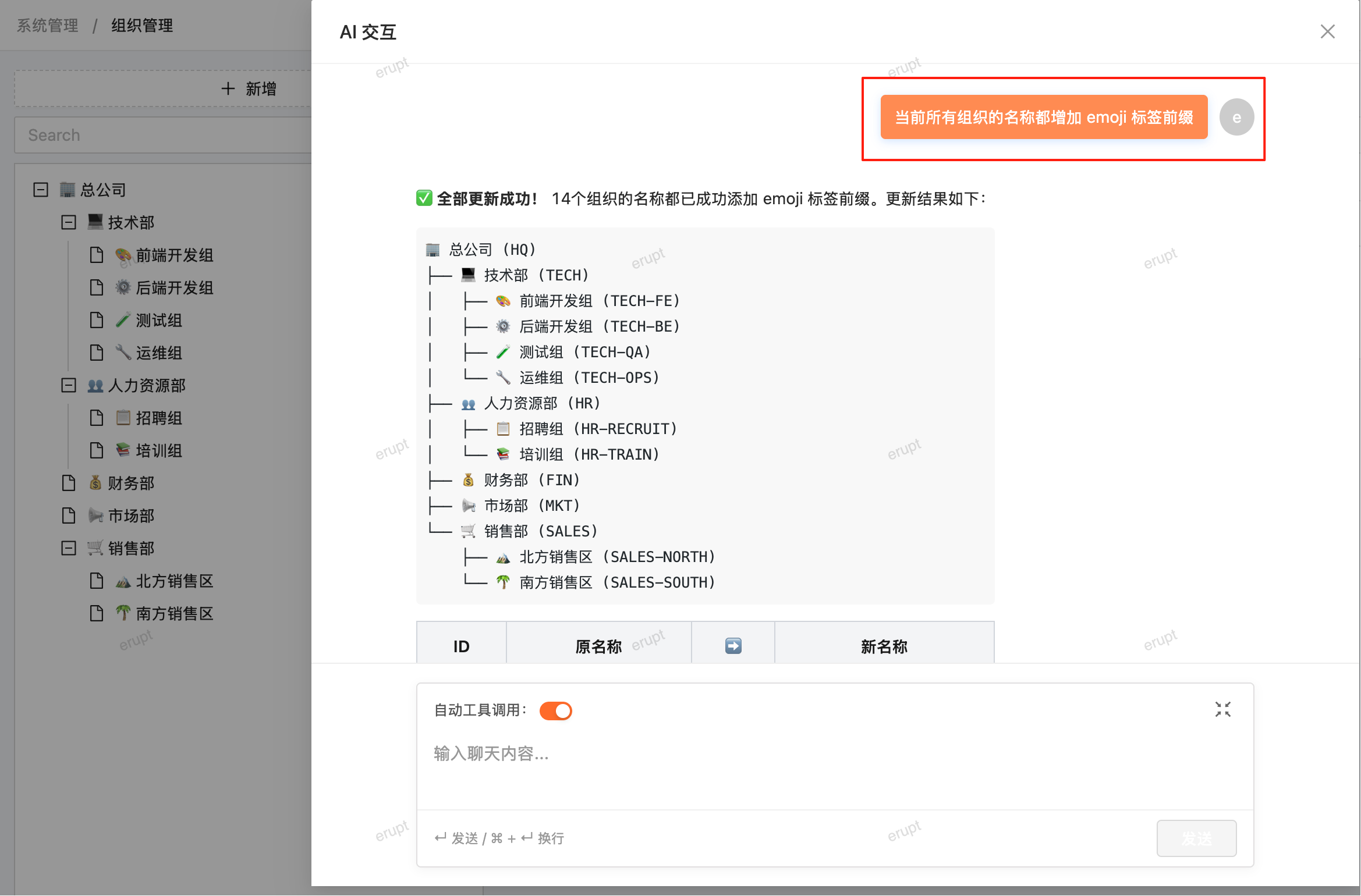
Creating an organizational structure via conversation (data insertion):
Data Update
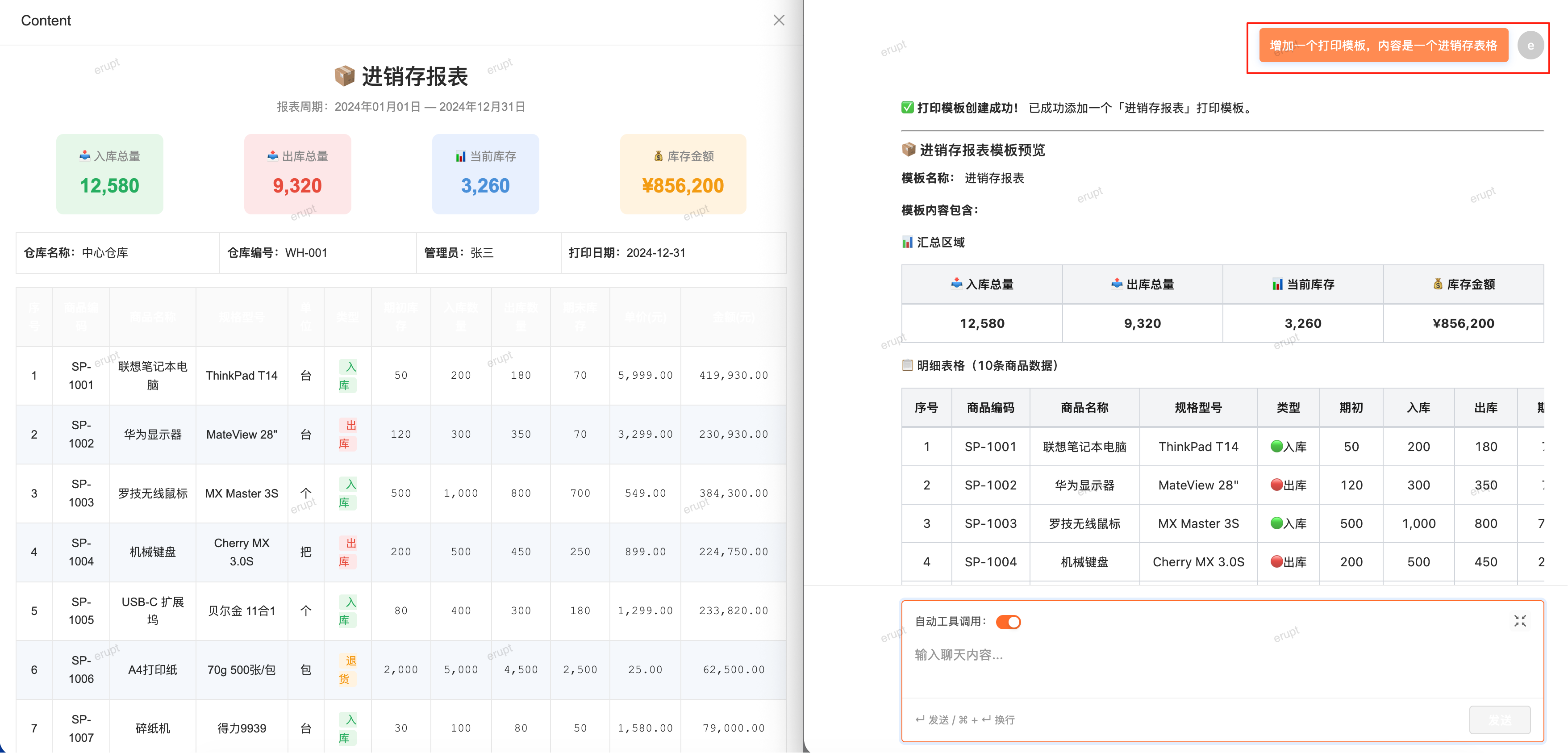
Data Creation and Content Generation
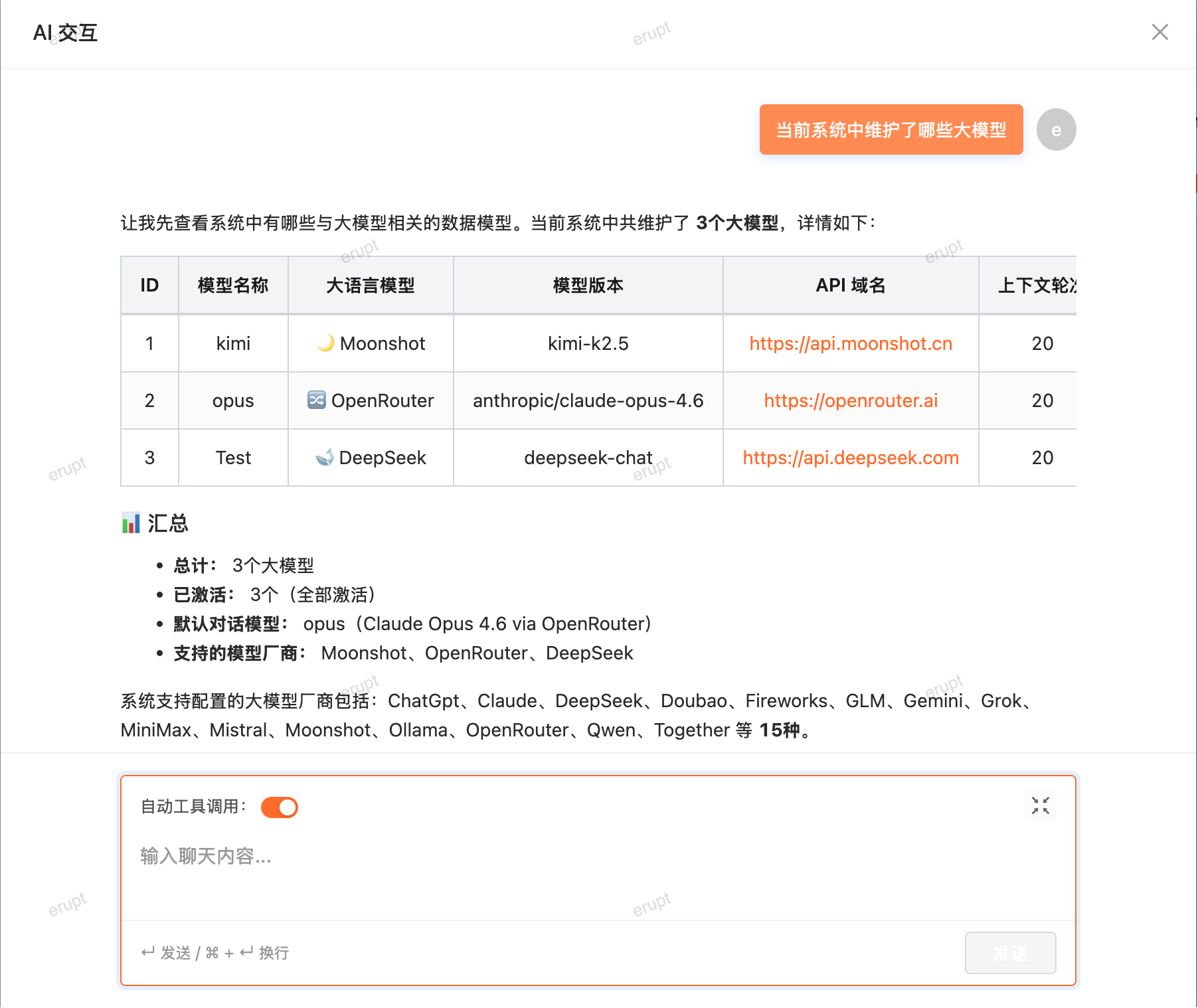
Querying Model Data
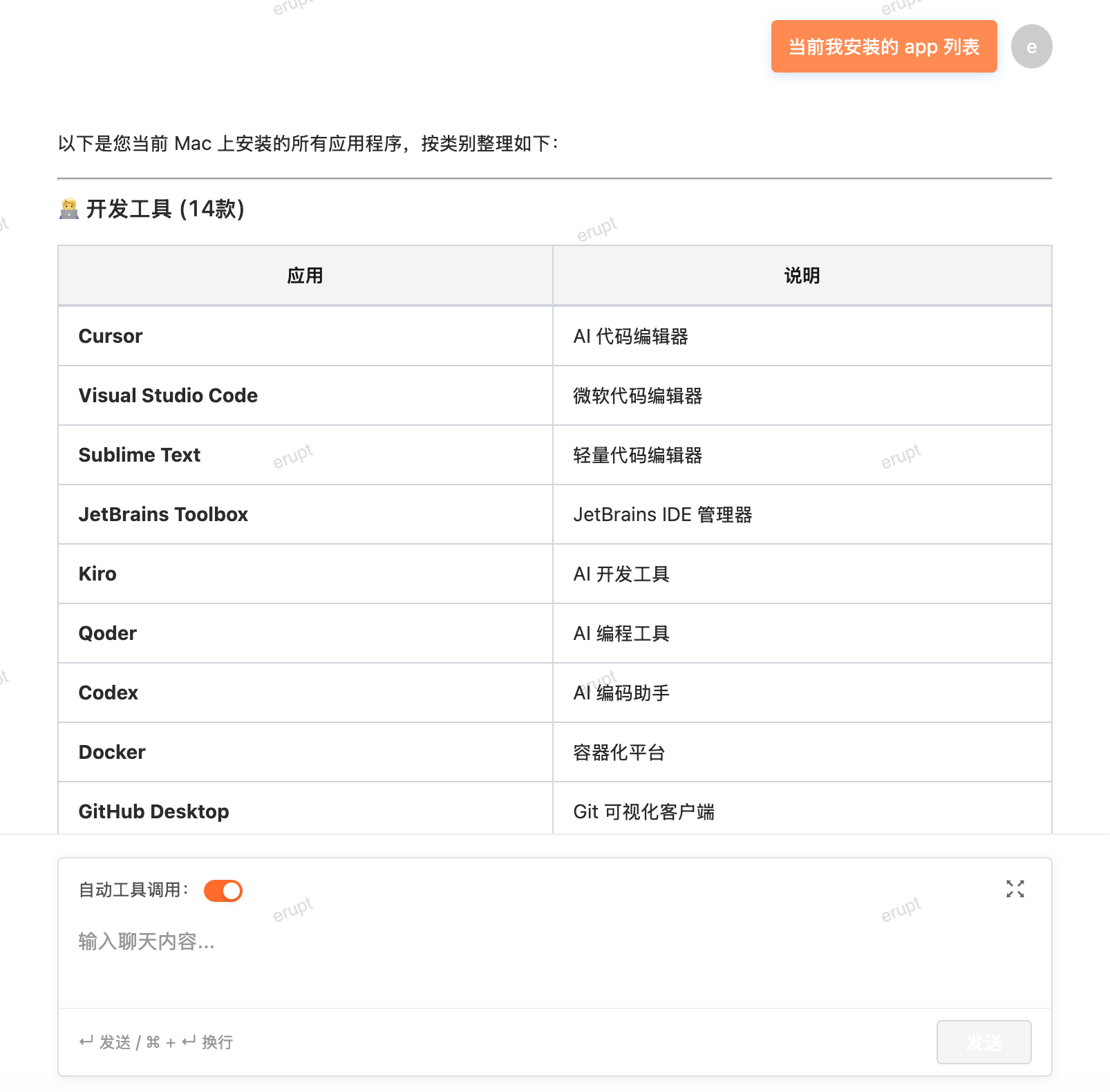
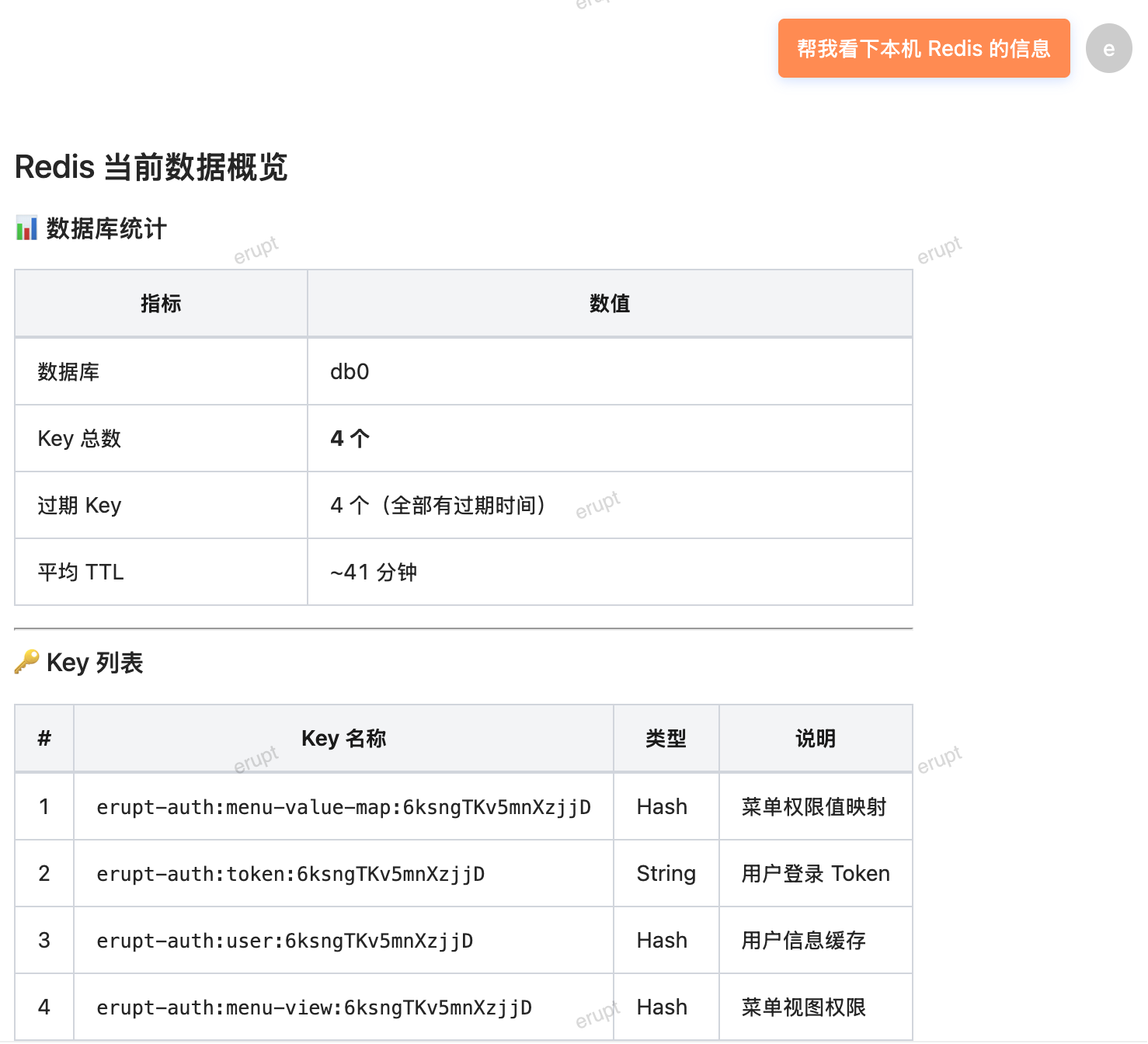
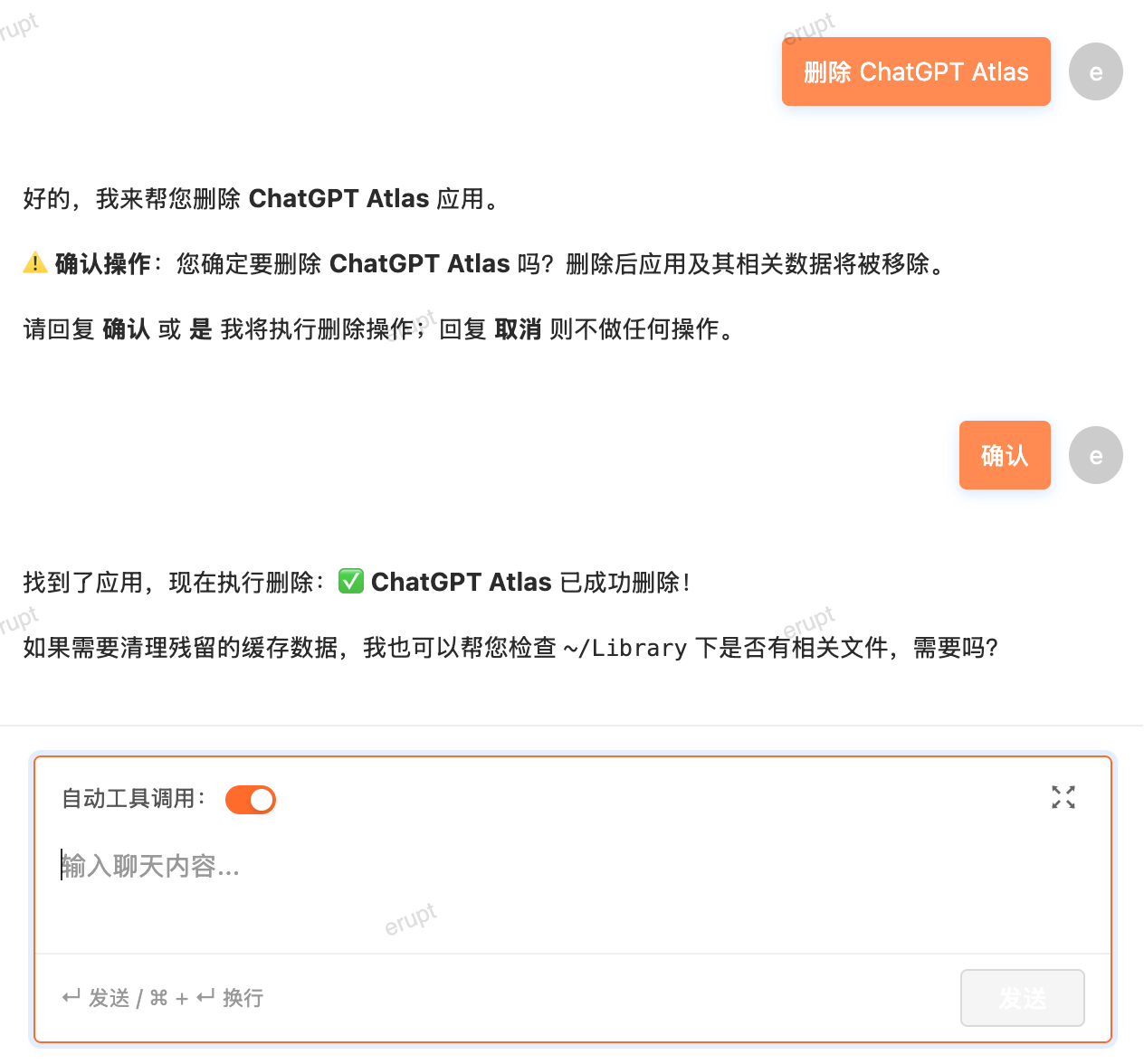
Claw and Operating System Interaction
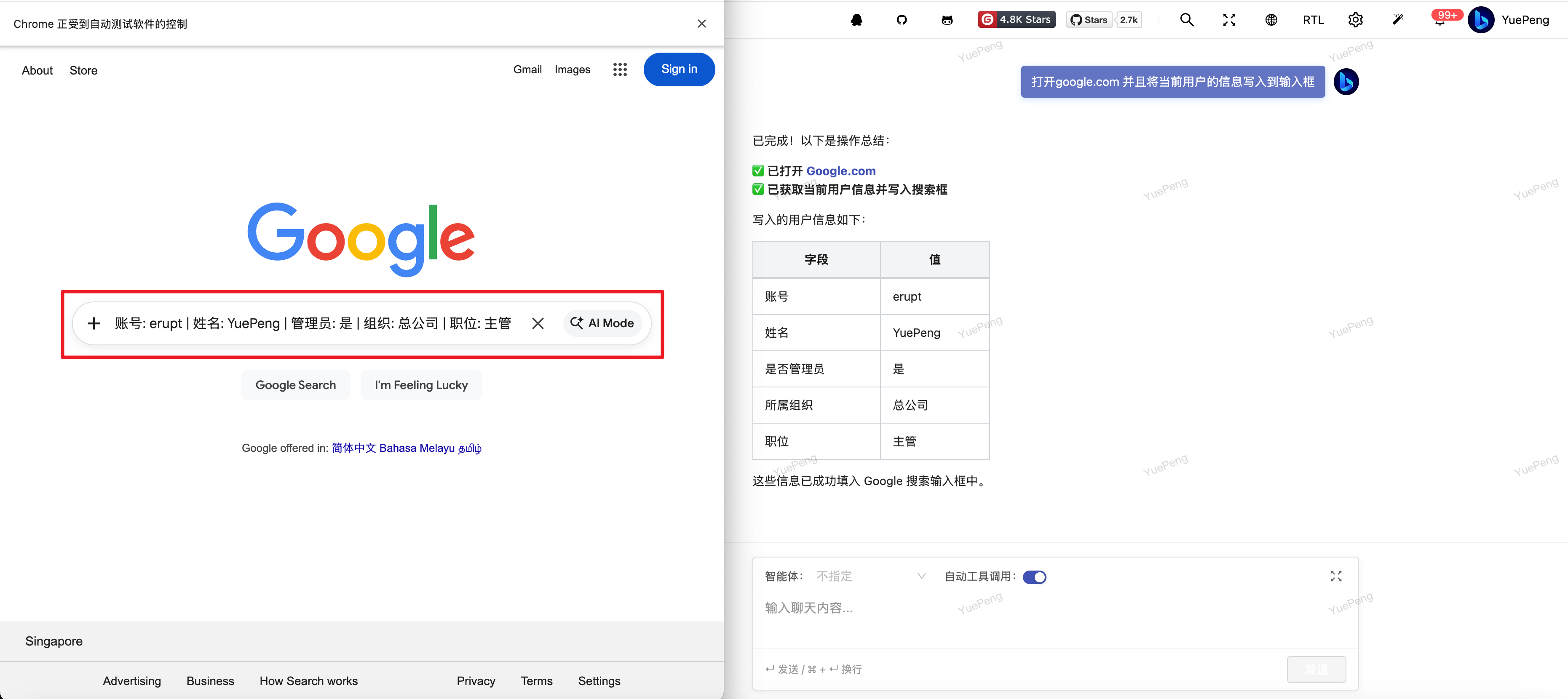
Claw and Browser Interaction
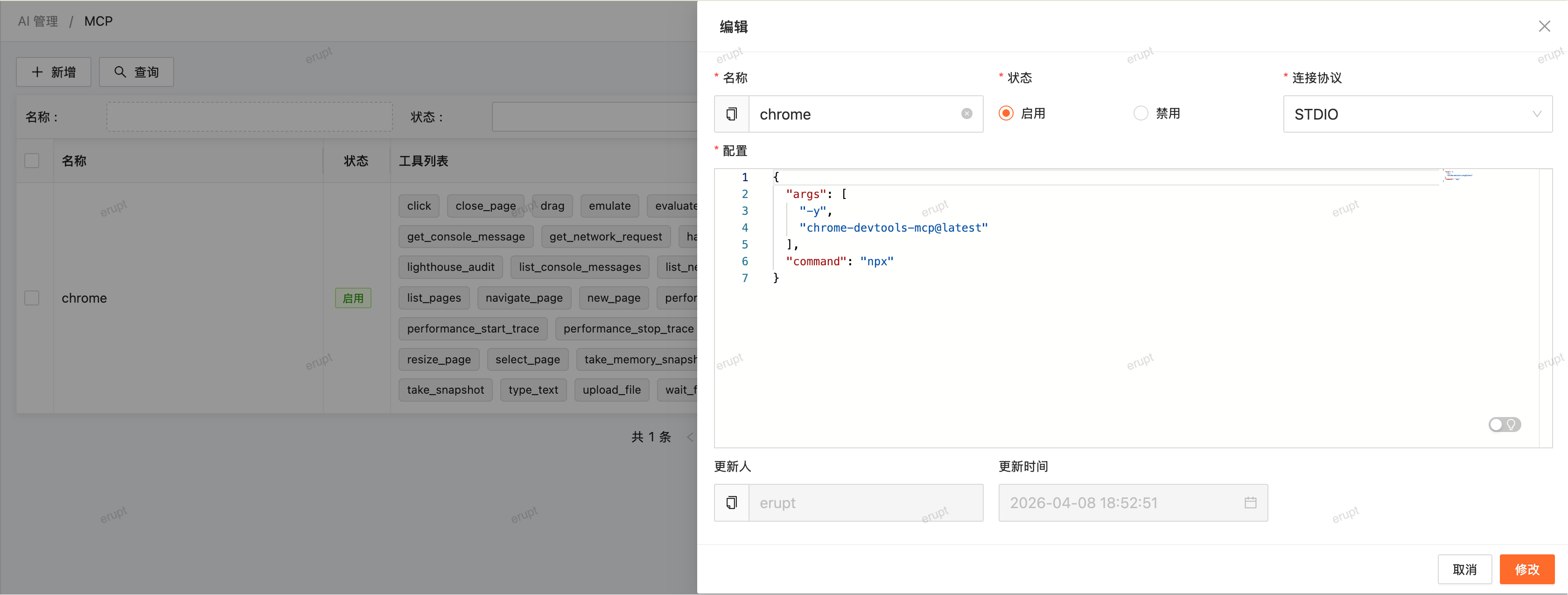
This can be achieved indirectly via the MCP feature. Add the following configuration in the MCP menu:
{
  "args": [
    "-y",
    "chrome-devtools-mcp@latest"
  ],
  "command": "npx"
}
Claw and Long-Term Memory
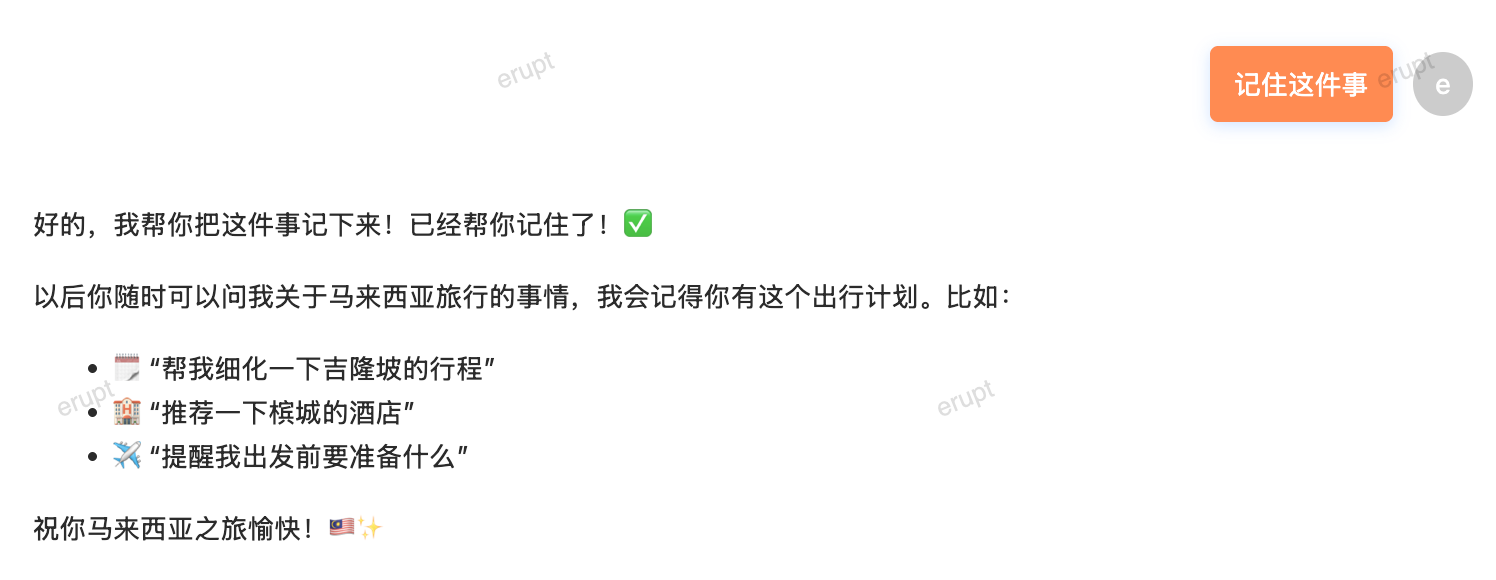
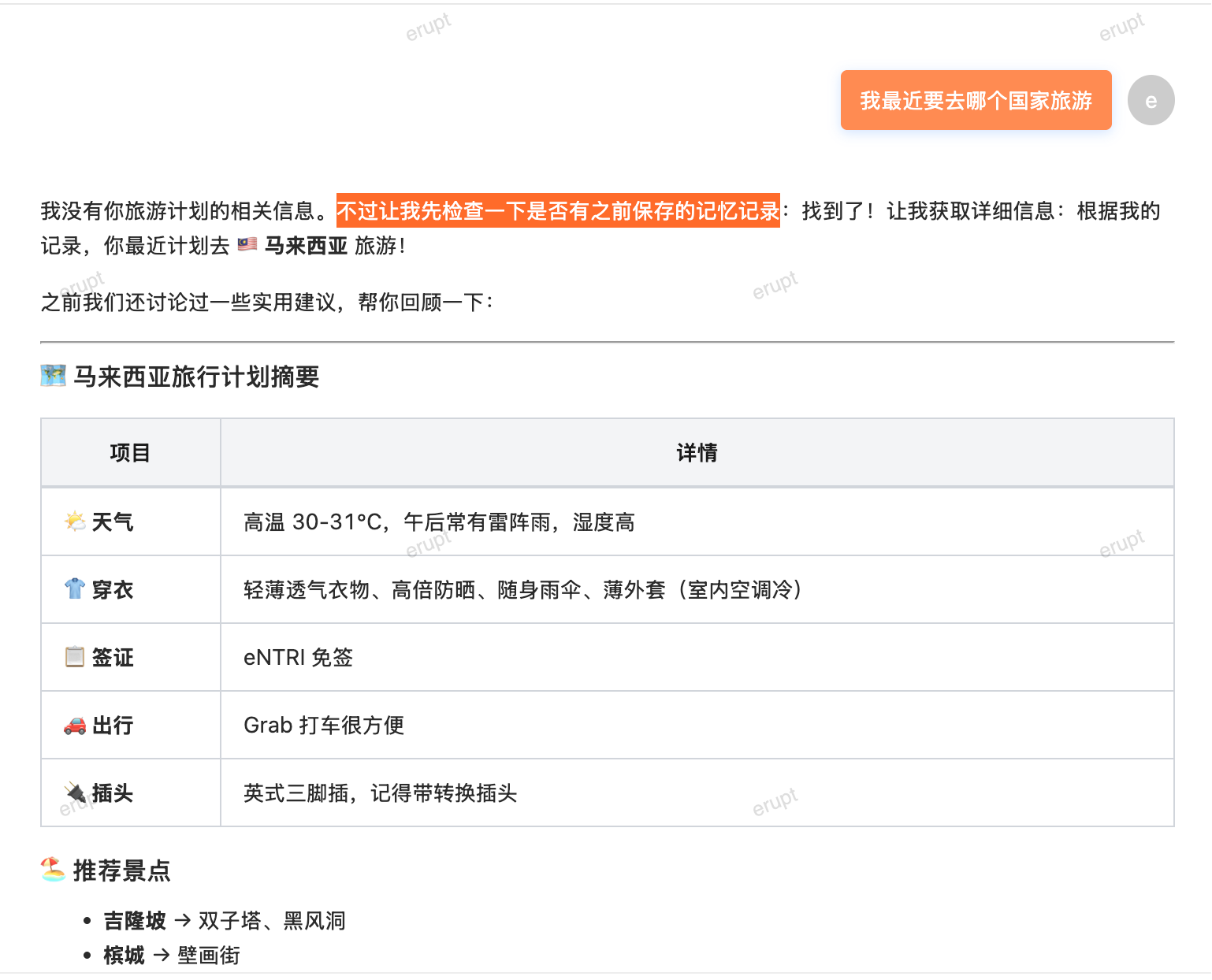
erupt-ai-claw supports cross-session long-term memory persistence via the Memory tool.
During a conversation, the AI automatically judges and writes important information (technical decisions, user preferences, project context, etc.) to memory files. At the start of the next session, relevant memories are automatically loaded — no need to re-explain the background.
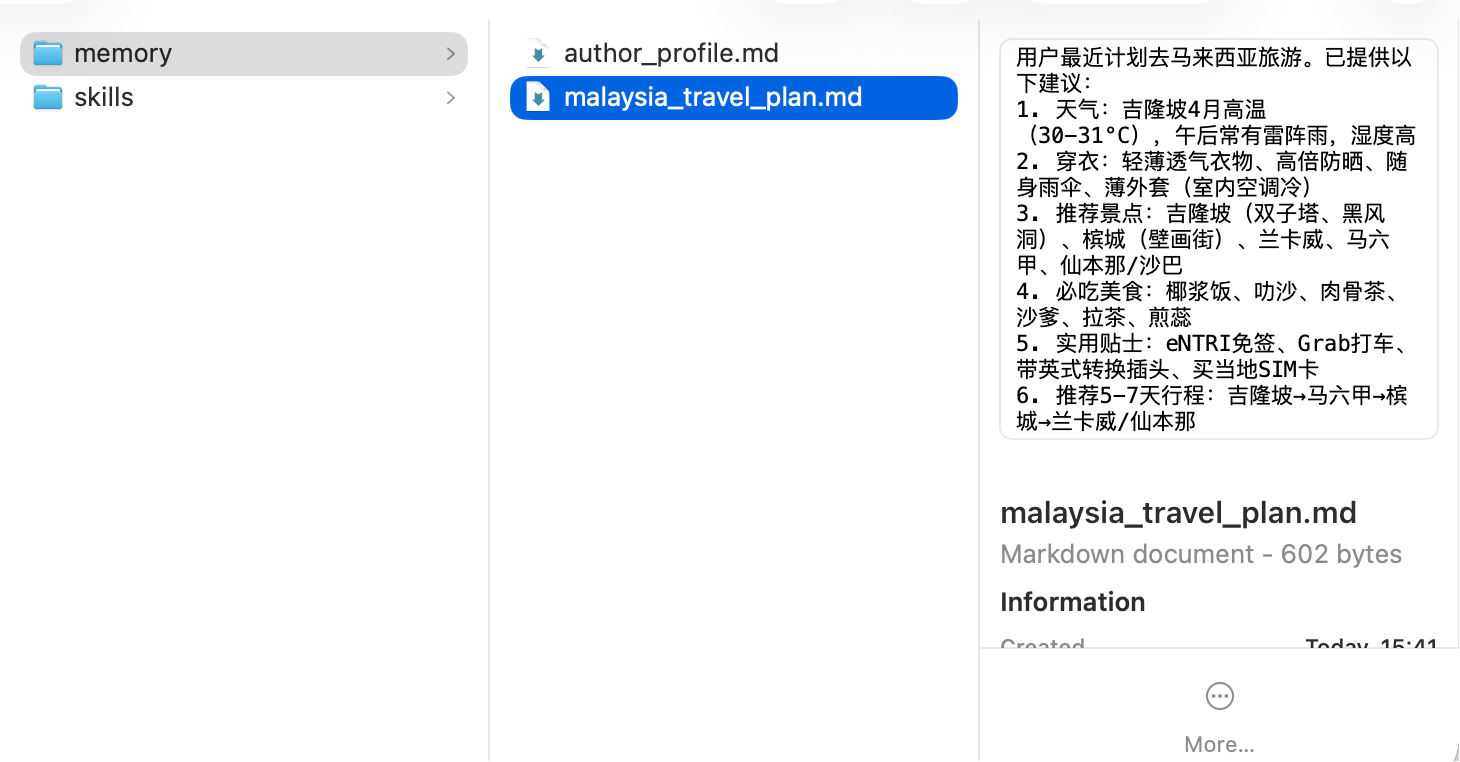
Memory files are stored by default at:
# You can also manually create .md files in this directory; the AI will automatically recognize and read them in the next session.
~/.erupt/memory/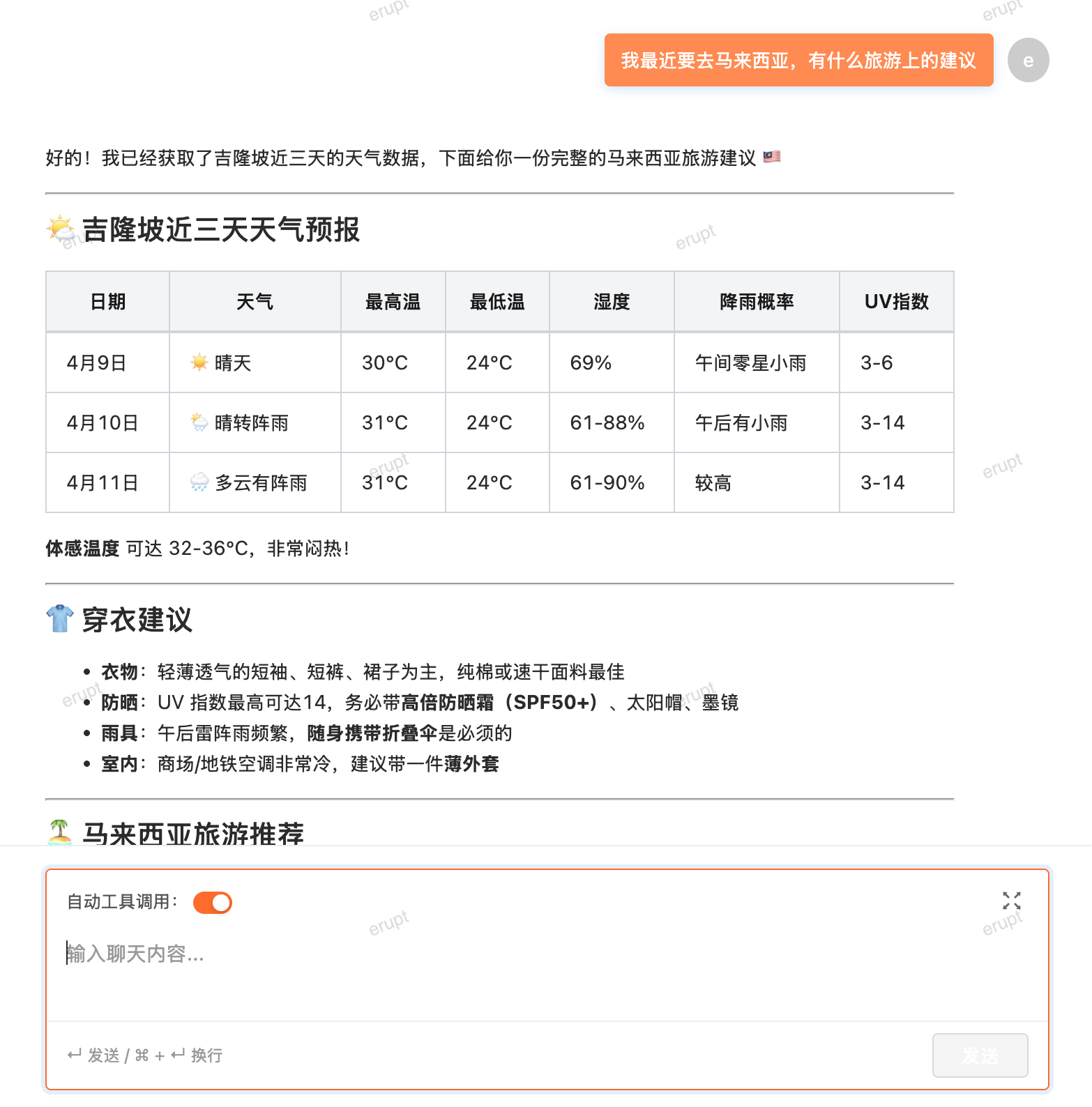
Claw and Spring Boot
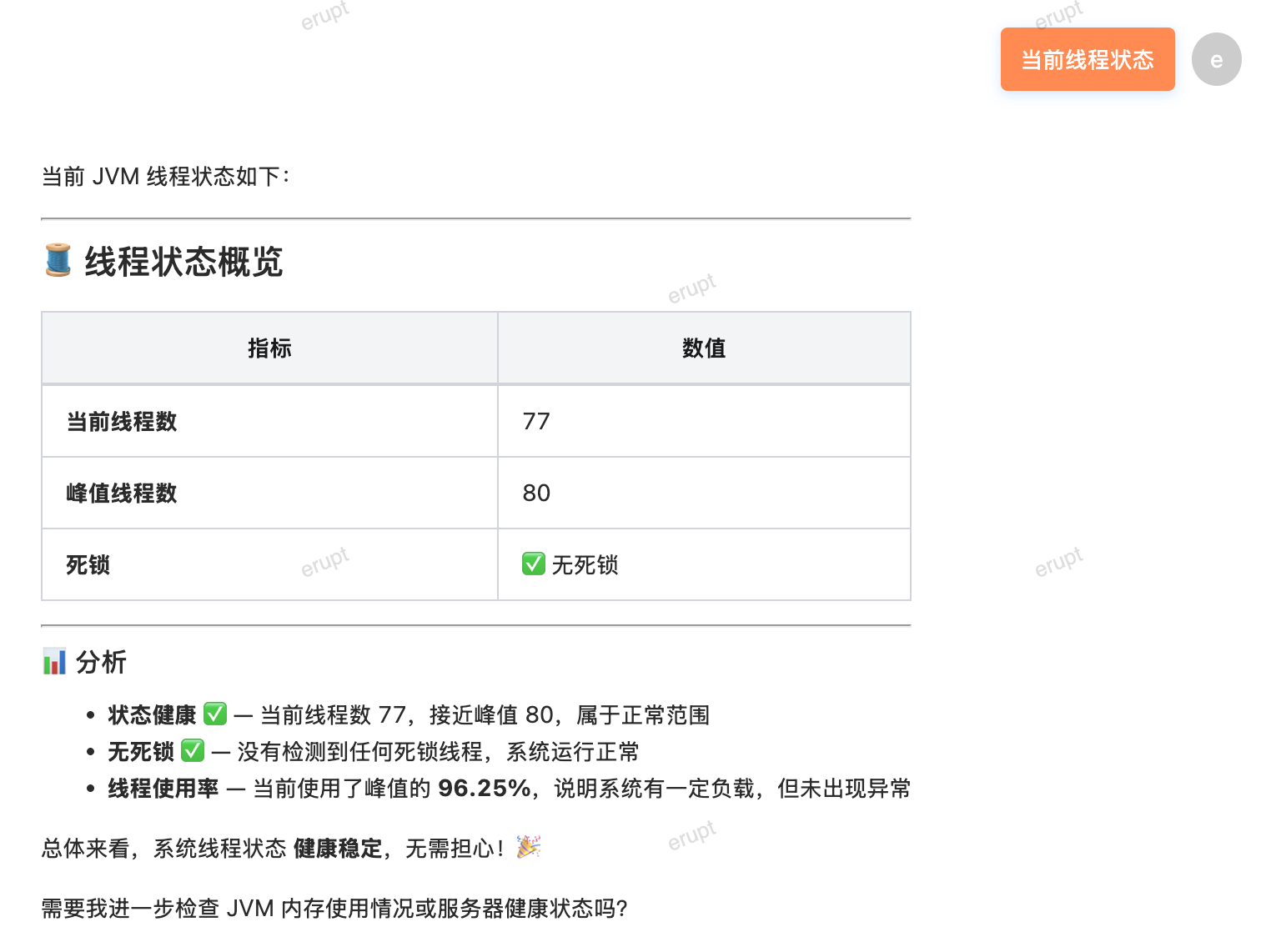
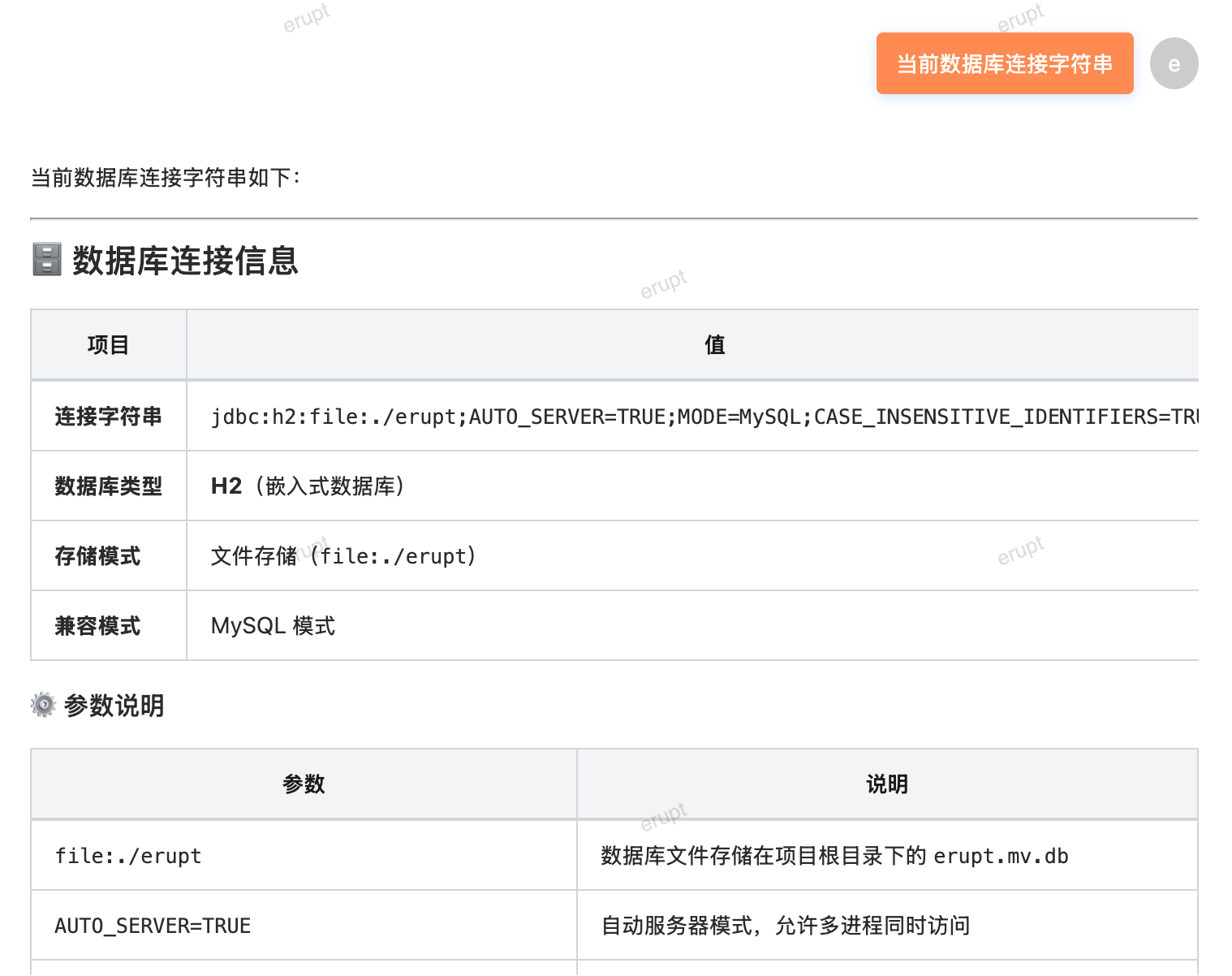
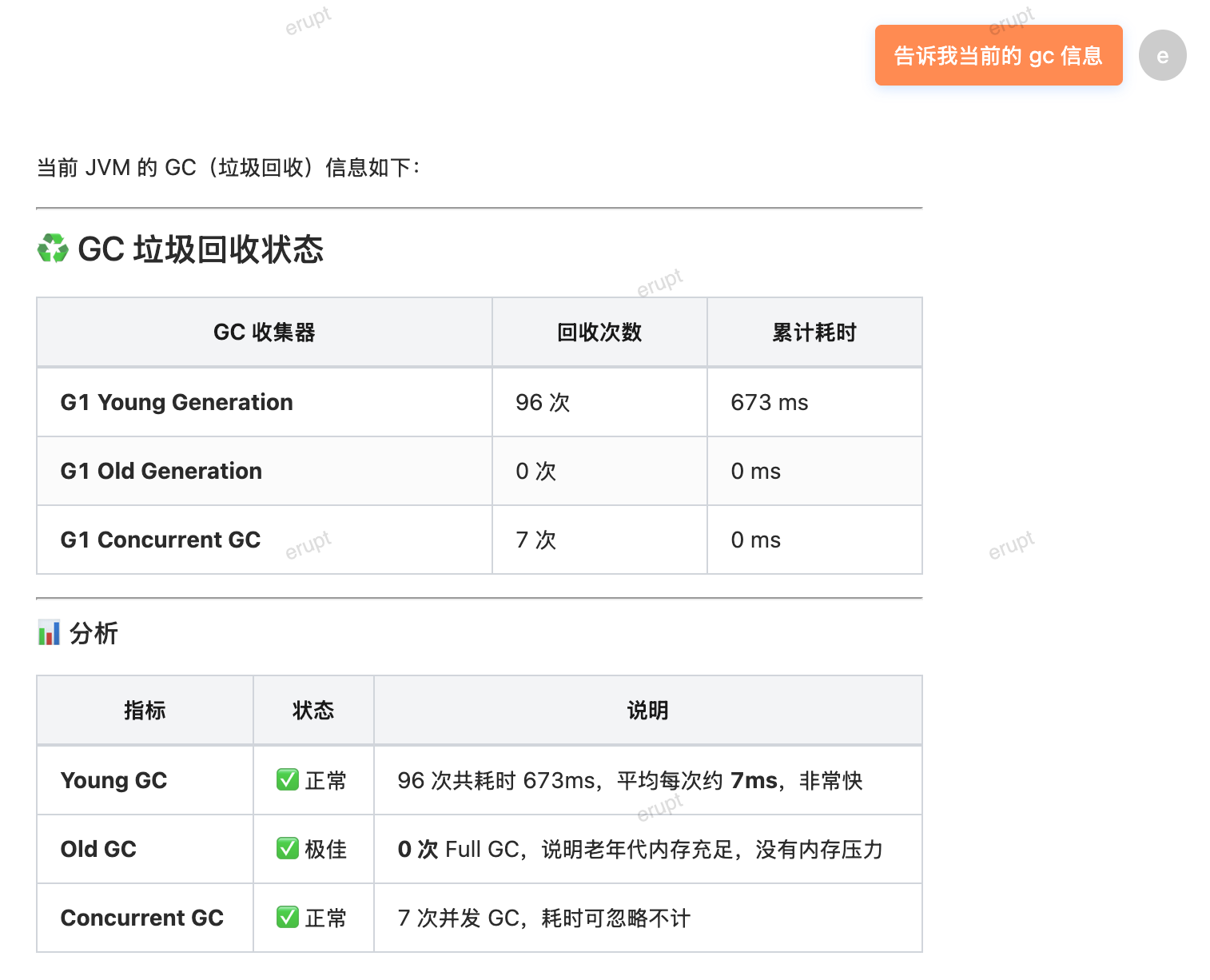
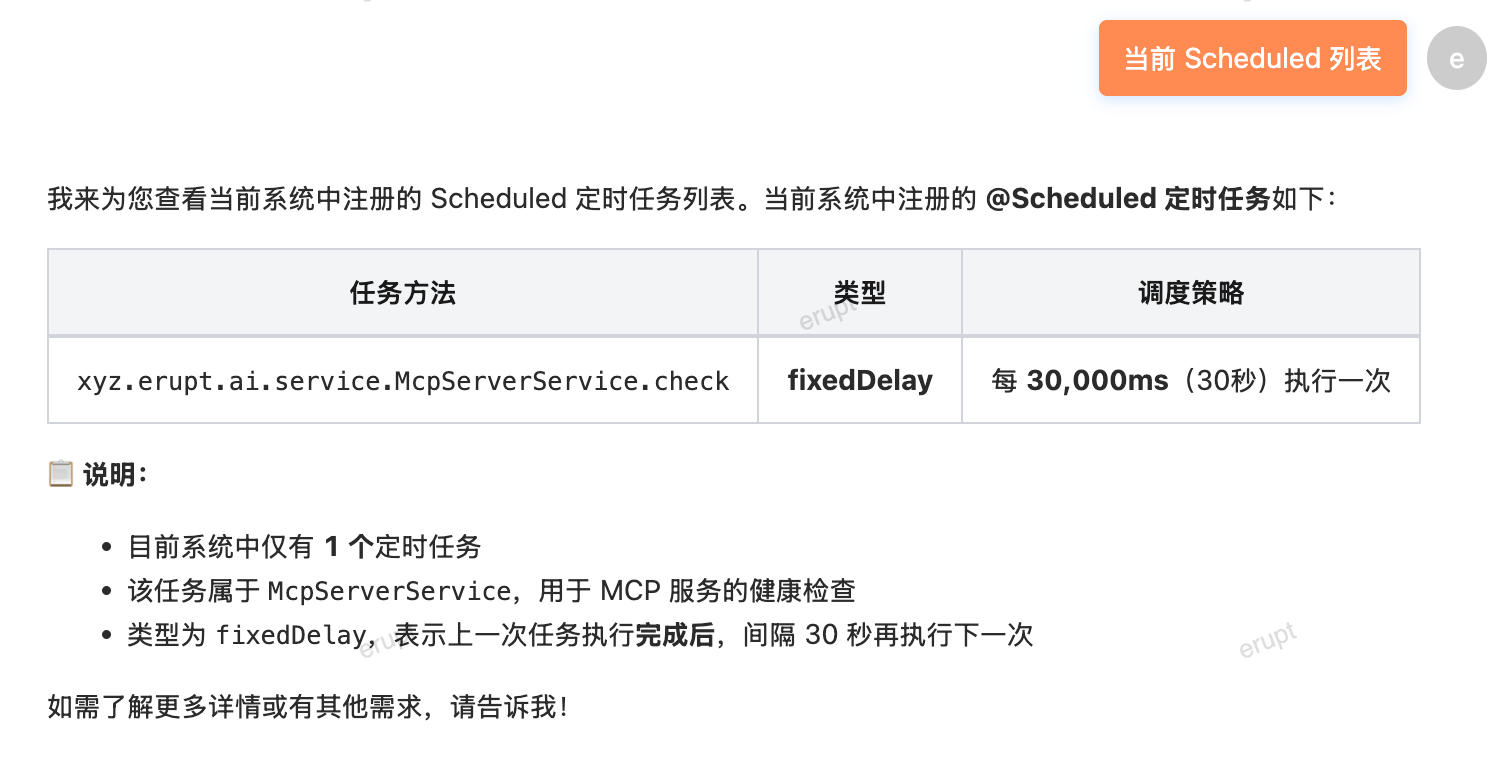
Supports obtaining real-time service status and configuration information through conversation.
Retrieve Thread Information
Retrieve Configuration Information
Retrieve GC Information
Retrieve Scheduler Information
Role-Level Dynamic Tool Authorization v1.14.3+
TIP
Claw's capability boundaries are determined by role. Administrators naturally have all tools; other roles can only call explicitly authorized Tools — high-risk operations are completely invisible and uncallable for unauthorized roles. This enables Claw to be safely deployed in production environments while providing a personalized AI experience for every user.
In the erupt-ai role management interface, check the available Tools for each role and configure a dedicated system prompt. Changes take effect immediately without a restart. See Role-Level Tool Authorization.
@Tools Reference Table
The following lists all built-in @Tool entries in Erupt AI Claw. They can be selectively authorized in the role configuration interface.
System Tools
| Tool | Description |
|---|---|
getCurrentDateTime | Get the current date and time |
execShell | Execute a shell command (high-risk; recommend granting to admins only) |
Spring Boot
| Tool | Description |
|---|---|
getActiveProfiles | Get the currently active Spring profiles |
getProperty | Read the value of a specified Spring configuration property |
getScheduledTasks | Get the list of Spring scheduled tasks |
JVM Monitoring
| Tool | Description |
|---|---|
getJvmMemory | Get JVM heap memory usage |
getJvmUptime | Get JVM uptime |
getThreadInfo | Get JVM thread details |
getGcStats | Get garbage collection statistics |
Erupt Data
| Tool | Description |
|---|---|
eruptModelList | Get the list of all Erupt models |
eruptSchema | Get the field schema of a specified Erupt model |
eruptDataQuery | Query the data list of an Erupt model |
findEruptDataByPk | Query a single Erupt data record by primary key |
insertEruptData | Insert a new record into an Erupt model |
updateEruptData | Update a record in an Erupt model |
deleteEruptData | Delete a record from an Erupt model |
getEruptModules | Get the list of loaded Erupt modules |
geneEruptCode | Generate Erupt model code |
Erupt User
| Tool | Description |
|---|---|
eruptUserInfo | Get the current logged-in user's information |
eruptUserPermissions | Get the current user's permission information |
Cube Analytics
| Tool | Description |
|---|---|
cubeList | List all Cube datasets |
cubeMetadata | Get the metadata of a specified Cube dataset |
cubeQuery | Execute a Cube dataset query |
Skill Management
| Tool | Description |
|---|---|
listSkills | List all available Skills |
getSkillDetail | Get details of a specified Skill |
readSkillFile | Read the content of a Skill file |
saveSkill | Create or update a Skill |
deleteSkill | Delete a specified Skill |
Memory Management
| Tool | Description |
|---|---|
listMemories | List all memory entries |
getMemory | Get the content of a specified memory |
saveMemory | Save a memory entry |
deleteMemory | Delete a specified memory |
Contributors
 YuePeng