
First Example
Creating an admin page with Erupt is extremely simple — a single Java class is all you need:
java
package xyz.erupt.example.model;

import org.hibernate.annotations.GenericGenerator;
import xyz.erupt.annotation.Erupt;
import xyz.erupt.annotation.EruptField;
import xyz.erupt.annotation.sub_field.Edit;
import xyz.erupt.annotation.sub_field.View;

import javax.persistence.*;

// @Erupt goes on the class, @EruptField goes on each field. The rest are standard JPA annotations.
@Erupt(name = "Simple Example")
@Table(name = "demo_simple")
@Entity
public class Simple {

    // Primary key
    @Id
    @GeneratedValue(generator = "generator")
    @GenericGenerator(name = "generator", strategy = "native")
    @Column(name = "id")
    @EruptField
    private Long id; // No need to redeclare id if you extend BaseModel

    // Text input
    @EruptField(
        views = @View(title = "Text"),
        edit  = @Edit(title = "Text")
    )
    private String input;

    // Numeric input
    @EruptField(
        views = @View(title = "Number"),
        edit  = @Edit(title = "Number")
    )
    private Integer number = 100; // default value 100

    // Boolean switch
    @EruptField(
        views = @View(title = "Boolean"),
        edit  = @Edit(title = "Boolean")
    )
    private Boolean bool;

    // Date picker
    @EruptField(
        views = @View(title = "Date"),
        edit  = @Edit(title = "Date")
    )
    private Date date;
}
After starting the project, simply bind the class to a menu. Steps:
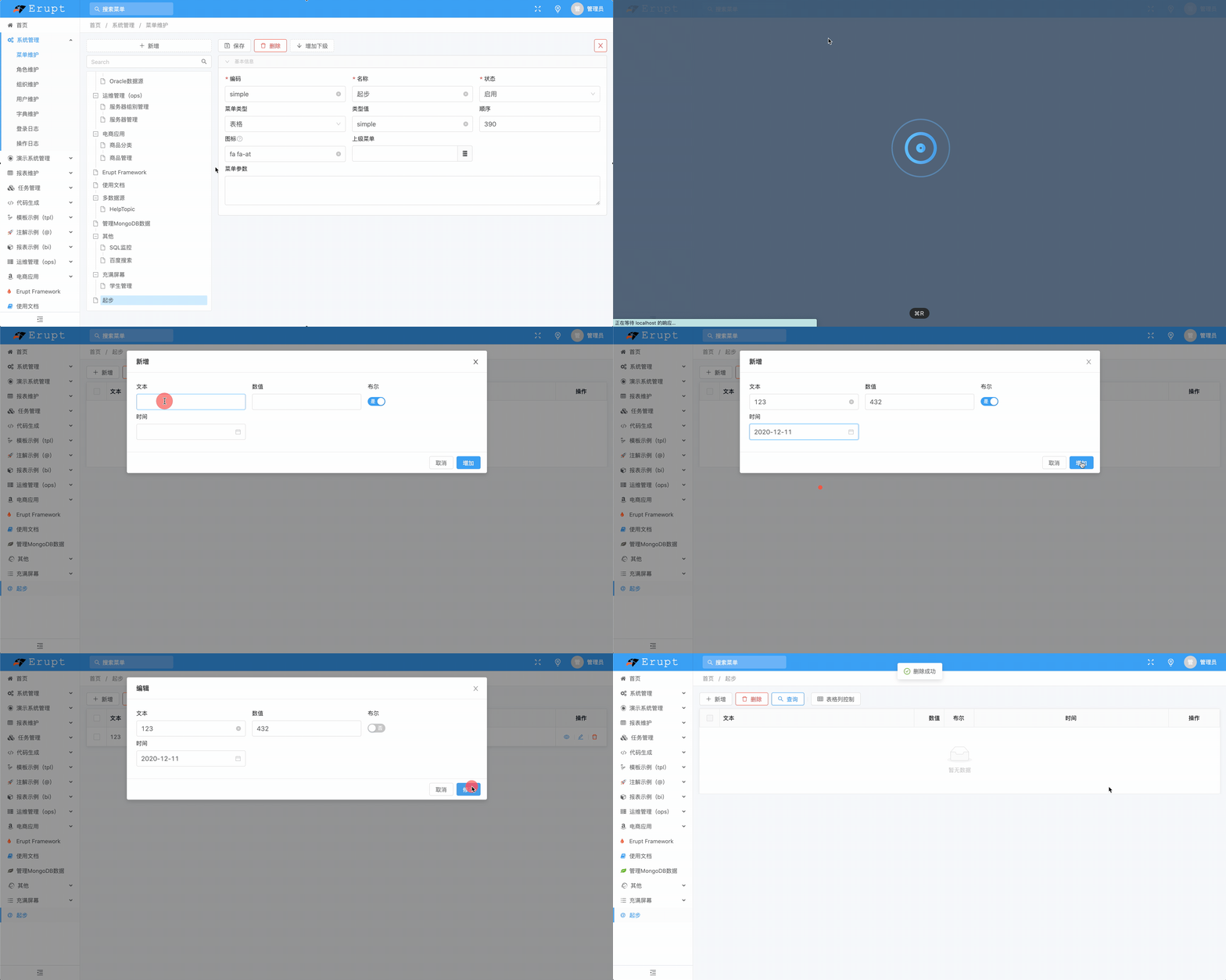
How to bind: log in, go to System Management → Menu Management, click Add, set the menu type to Table, the type value to Simple, save and refresh — the menu is now accessible.
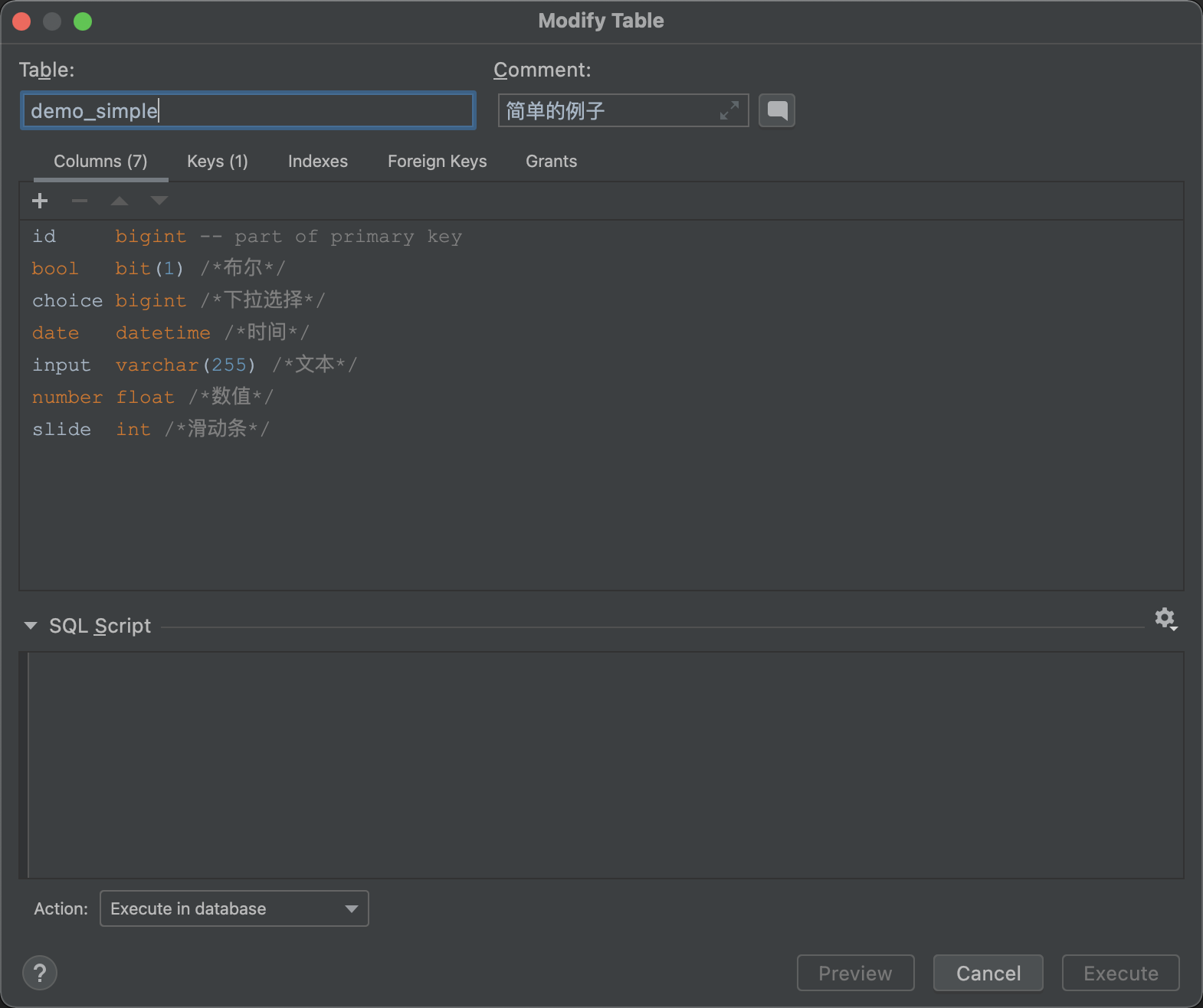
The database schema and column comments are generated automatically:
More Examples
More example code: https://www.erupt.xyz/#!/contrast
Erupt supports more than 23 categories of components for flexible configuration.
In real-world development, only the @Erupt and @EruptField annotations are required to get started.
Contributors
 YuePeng